Post-Deployment: Identity & SSO (OIDC)
Federate VCF 9.1 SSO to authentik using Generic OIDC: configure the authentik provider, run the VCF SSO wizard, pre-provision groups, and assign roles across vCenter, NSX, and VCF Operations.
VCF 9.1 lab series. Reviewed and rebuilt from the 9.0.2 Identity & SSO guide. In 9.0.2 the identity broker bound directly to Active Directory over LDAPS; in this 9.1 lab the broker federates to authentik (
auth.pgnet.io) over Generic OIDC instead.
📘 Official documentation. This is a lab walkthrough, not a replacement for the vendor docs. For the authoritative, supported procedure, follow Broadcom’s Configuring VCF SSO and Identity Providers (VCF 9.1). Where this guide and the official docs differ, the official docs win.
Pre-requisite: authentik must be reachable at auth.pgnet.io, its certificate must chain to the pgnet CA (see Post-Deployment: Certificates), and the Windows AD/LDAP directory (pgnet.local) must already be synced into authentik. Windows is the CA and the LDAP source behind authentik — it is no longer VCF’s direct identity provider.
Architecture
The lab has a mixed user base, which drives every important decision below:
- Local authentik users — domain
pgnet.io(e.g.vcfadmin@pgnet.io). These have an email address. - AD users via LDAP — domain
pgnet.local, synced into authentik. These have aupnand adistinguishedNamebut no email.
Because most AD users have no email, neither sub nor email works as a universal identifier. The federation keys on upn instead — a custom claim that returns the user’s UPN, falling back to email for local users. This single decision is what makes both populations log in cleanly.
Part 1 — authentik (auth.pgnet.io)
Create the OIDC provider and application in authentik before touching VCF.
OAuth2 / OpenID Provider — VCF vCenter SSO pgvcf1vc01:
| Setting | Value |
|---|---|
| Client type | Confidential |
| Signing key | pgca (RS256) |
| Authorization flow | implicit-consent |
| Subject mode | based on the user’s email (user_email) |
| Include claims in id_token | enabled |
| Redirect URI (strict) | https://pgvcf1vc01.pgnet.io/federation/t/CUSTOMER/auth/response/oauth2 |
vCenter generates the redirect URI —
CUSTOMERis the vSphere SSO tenant name. Copy it from the VCF wizard (Part 2) and paste it back here as a strict redirect.
Application — slug vcf-vsphere-pgvcf1vc01. This yields the OIDC discovery (well-known) endpoint used by VCF:
https://auth.pgnet.io/application/o/vcf-vsphere-pgvcf1vc01/.well-known/openid-configurationScope mappings on the provider: openid, email, profile, groups, plus a custom upn mapping. Name it VCF UPN claim and set its scope name to profile so it rides the profile scope vCenter already requests:
return {"upn": (user.attributes.get("upn") or user.email or (user.username + "@pgnet.local"))}AD users resolve to user@pgnet.local; local users resolve to their @pgnet.io email. This is the value VCF will treat as the unique identifier.
Role-based groups in authentik
Create one authentik group per VCF role. Each group carries its intended role in attributes.vcf_role. Group names must be unique per vCenter domain (see Gotchas).
| authentik group | VCF role |
|---|---|
| vcf-admin | Administrator across VCF (vCenter Administrator) |
| vcf-operator / vcf-readonly | Day-2 operator / read-only auditor |
| vsphere-admin / vsphere-readonly | vCenter Administrator / Read-only |
| nsx-admin / nsx-audit | NSX Enterprise Admin / Auditor |
| vcfops-admin / vcfops-readonly | VCF Operations Admin / Read-only |
| vcfa-admin | VCF Automation Org/Provider Admin |
For this walkthrough the only group pre-provisioned into VCF is vcf-admin (domain pgnet.io), with vcfadmin@pgnet.io as a member.
Part 2 — Configure VCF SSO
In VCF Operations → Manage → Fleet Management → Identity & Access → VCF SSO Overview, select Configure VCF SSO. The wizard has four steps and saves progress automatically.
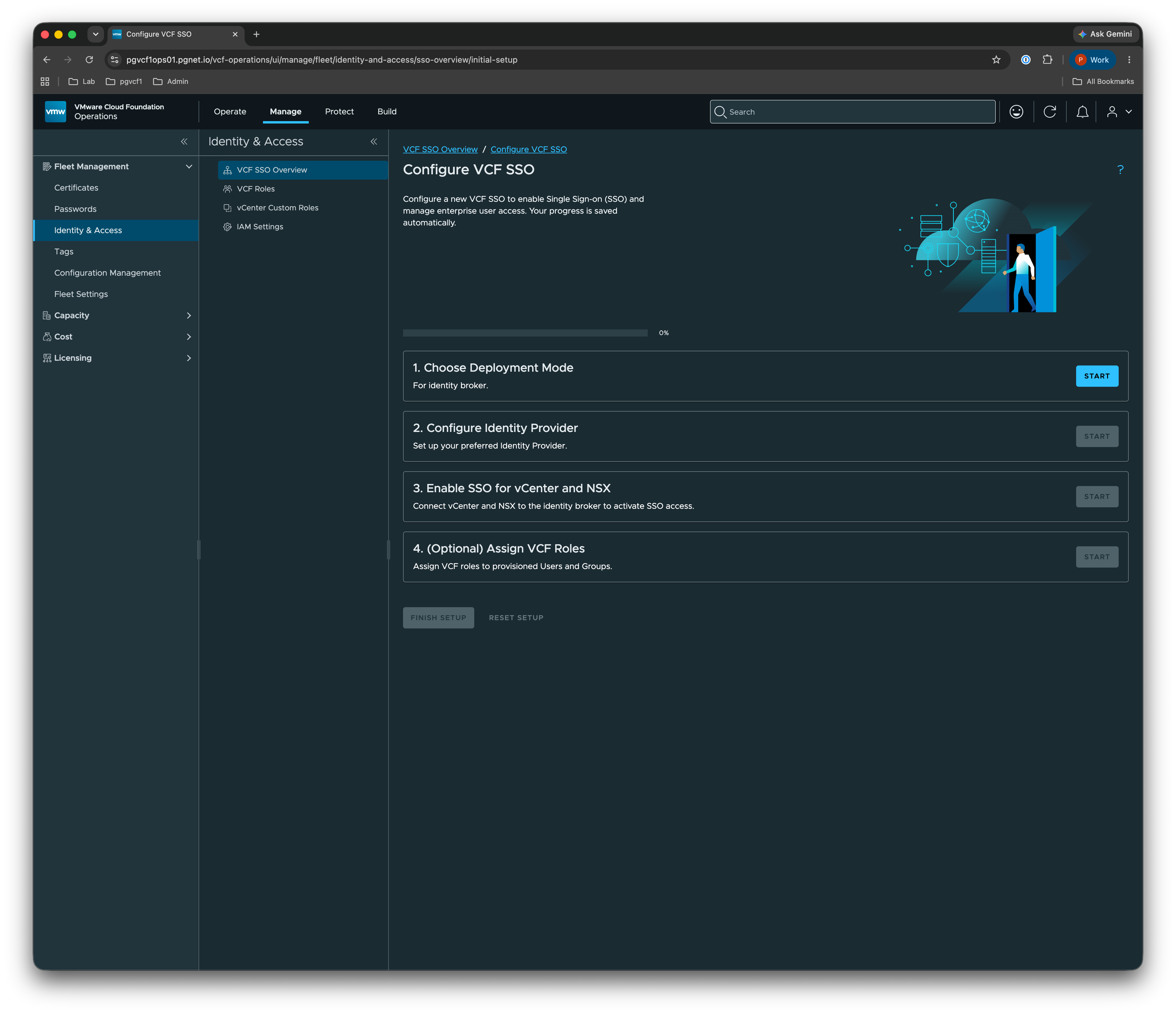
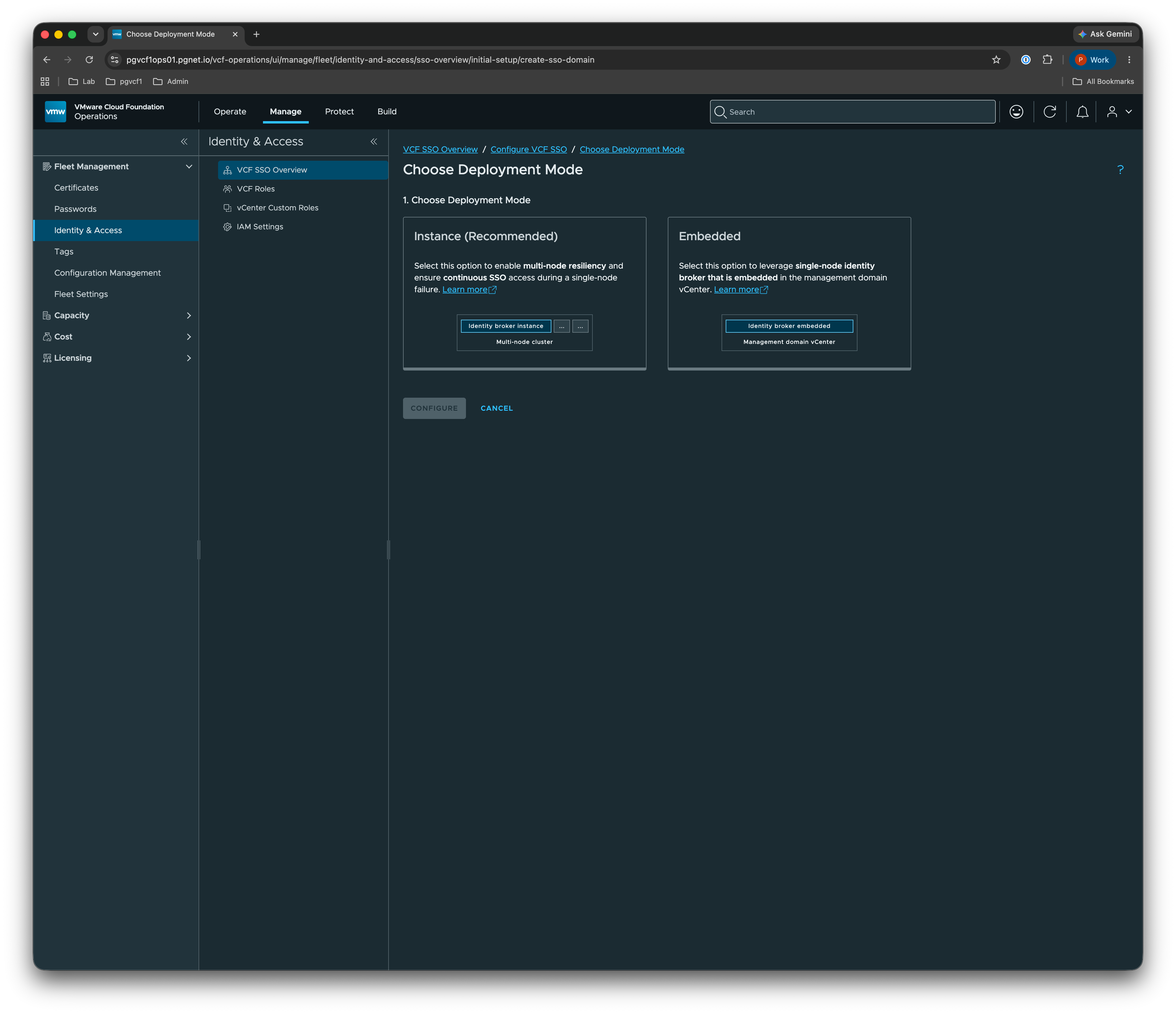
1. Choose deployment mode
Pick Embedded to use the identity broker embedded in the management-domain vCenter (pgvcf1vc01.pgnet.io). Instance is the multi-node, highly-available alternative.
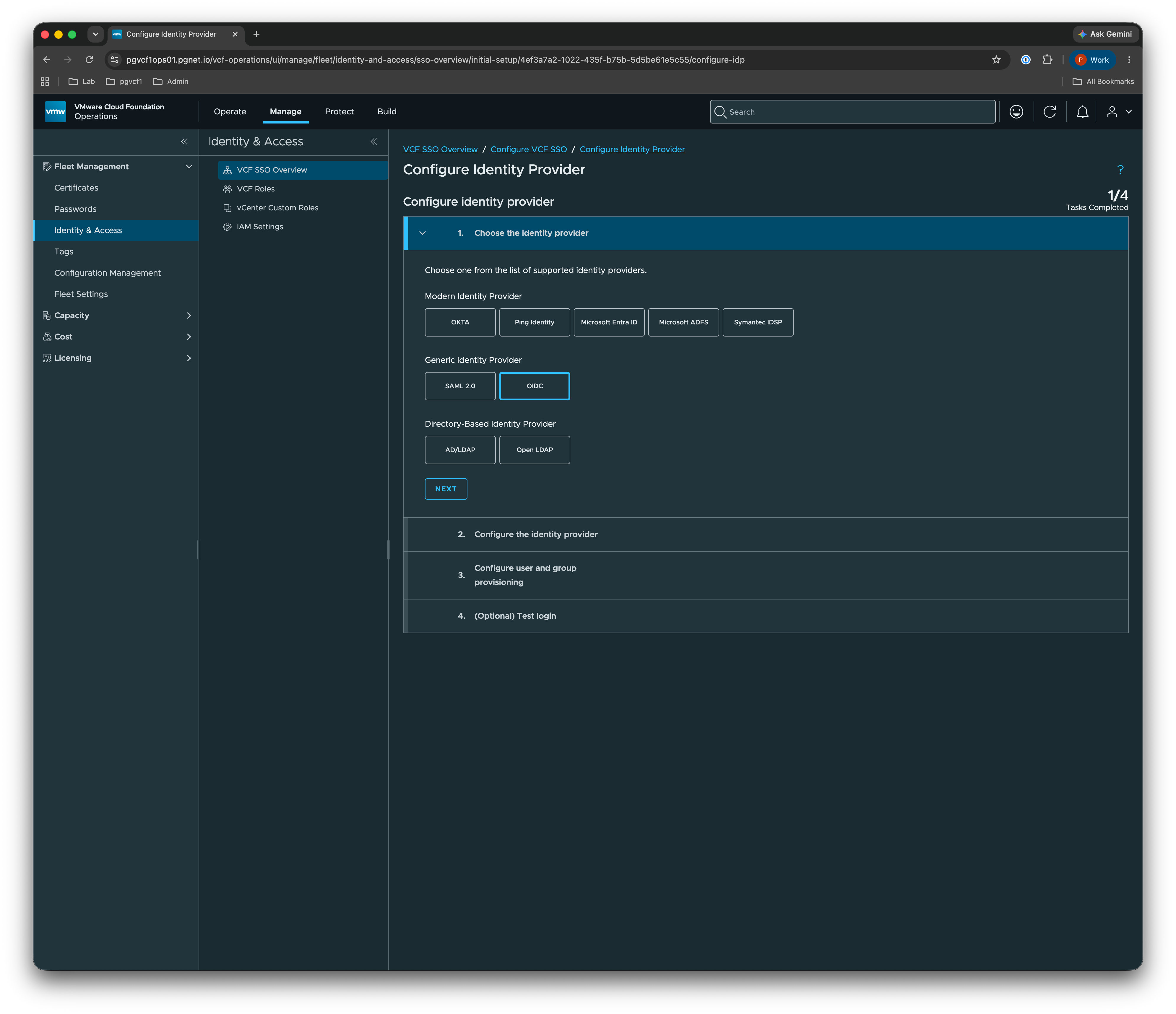
2. Configure the identity provider
Under Generic Identity Provider, choose OIDC, then Configure.
Complete the Identity Provider Configuration from the authentik values in Part 1:
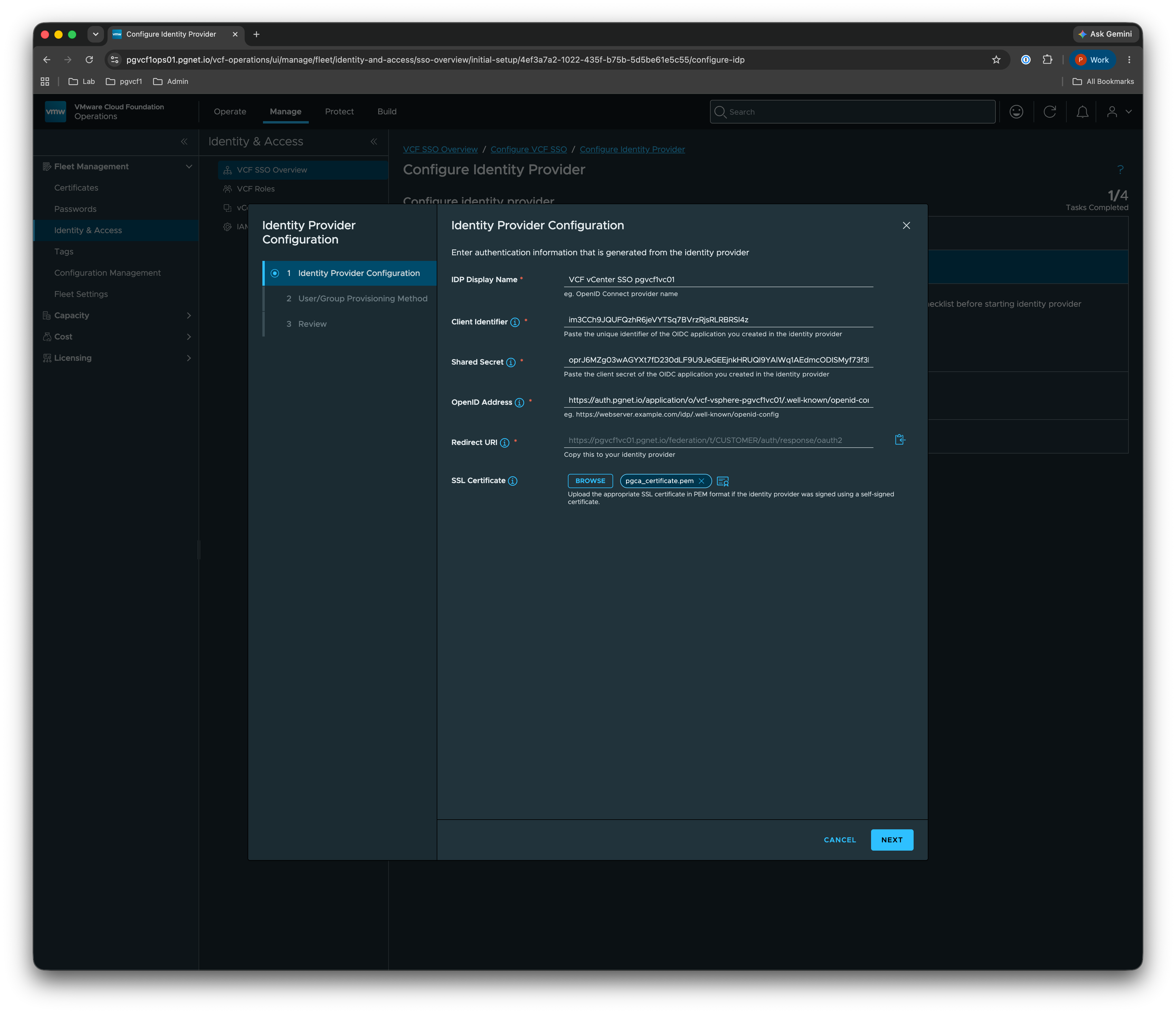
| Field | Value |
|---|---|
| IdP Display Name | VCF vCenter SSO pgvcf1vc01 |
| Client Identifier | im3CCh9JQUFQzhR6jeVYTSq7BVrzRjsRLRBRSl4z |
| Shared Secret | (client secret from the authentik provider) |
| OpenID Address | https://auth.pgnet.io/application/o/vcf-vsphere-pgvcf1vc01/.well-known/openid-configuration |
| Redirect URI | (generated by vCenter — copy into the authentik provider) |
| SSL Certificate | upload the pgnet CA chain (pgca) so vCenter trusts auth.pgnet.io |
Requested scopes must be
openid profile email groups. Ifprofile/groupsare not requested, theupnandgroupsclaims never arrive.
3. User/Group provisioning method
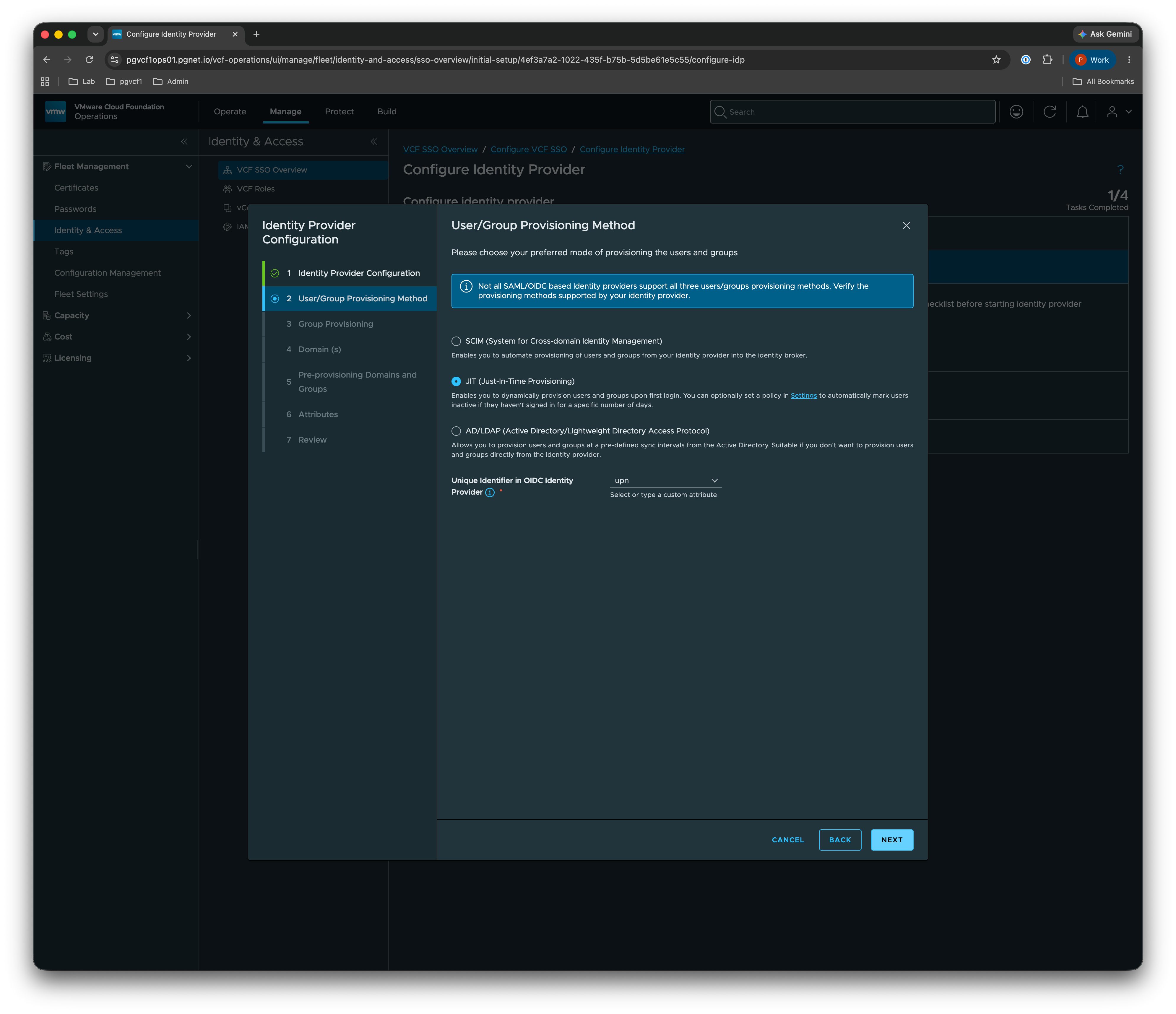
Choose JIT (Just-In-Time Provisioning) so users are created on first login, and set the Unique Identifier in OIDC Identity Provider to upn.
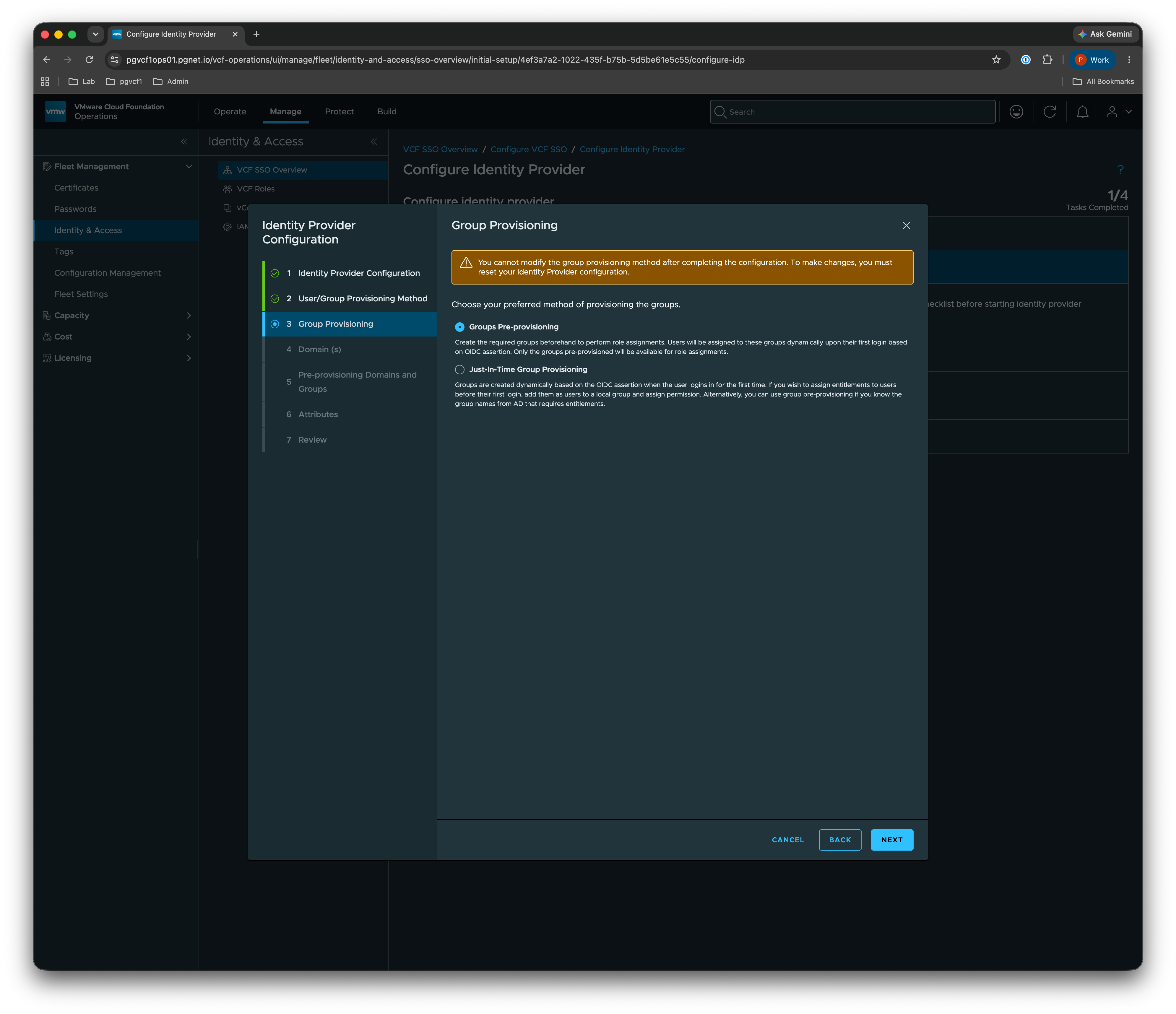
Then choose Groups Pre-provisioning — only groups you pre-provision here become available for role assignment.
4. Domains and pre-provisioned groups
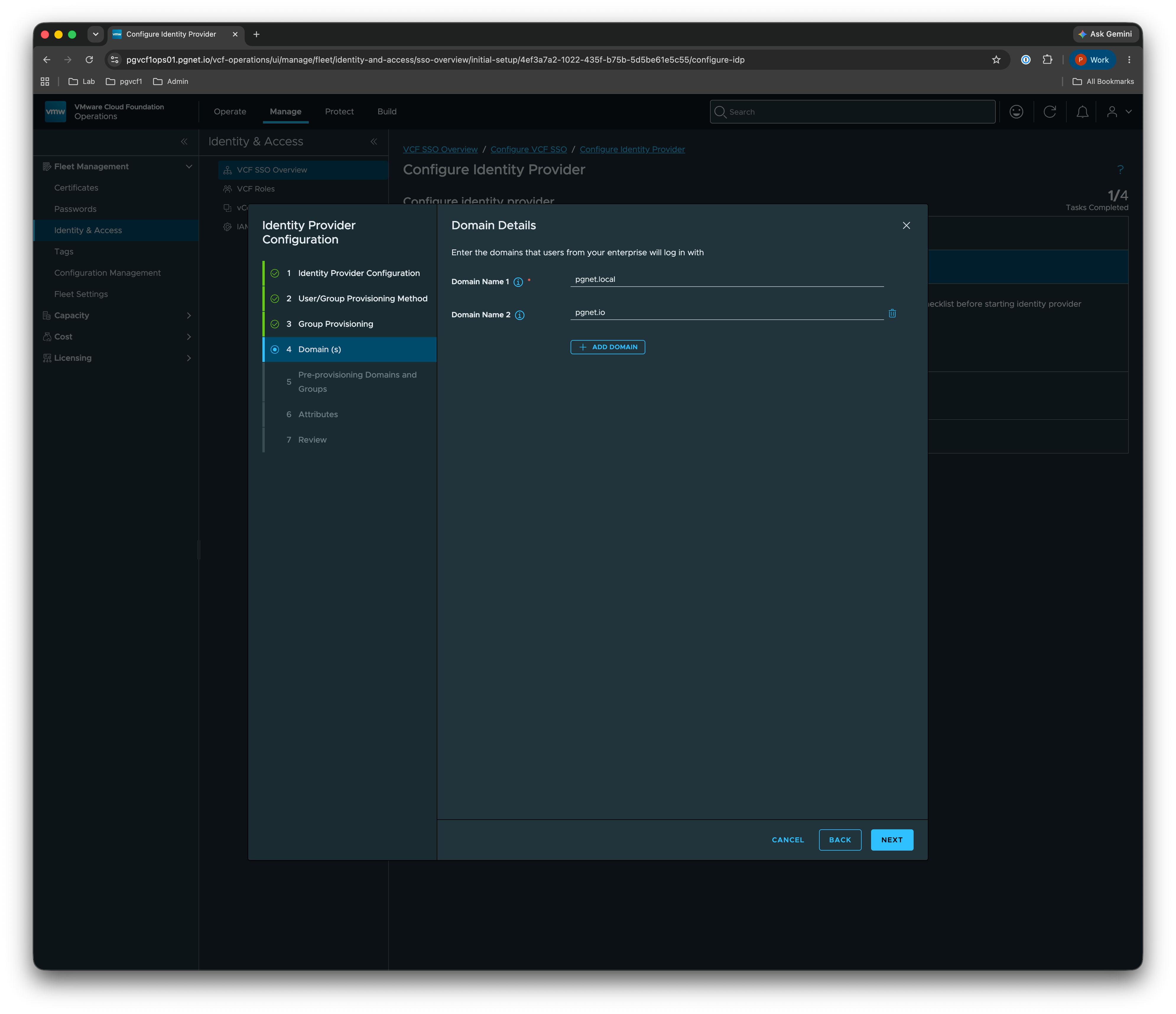
Add both login domains: pgnet.local (AD) and pgnet.io (local authentik).
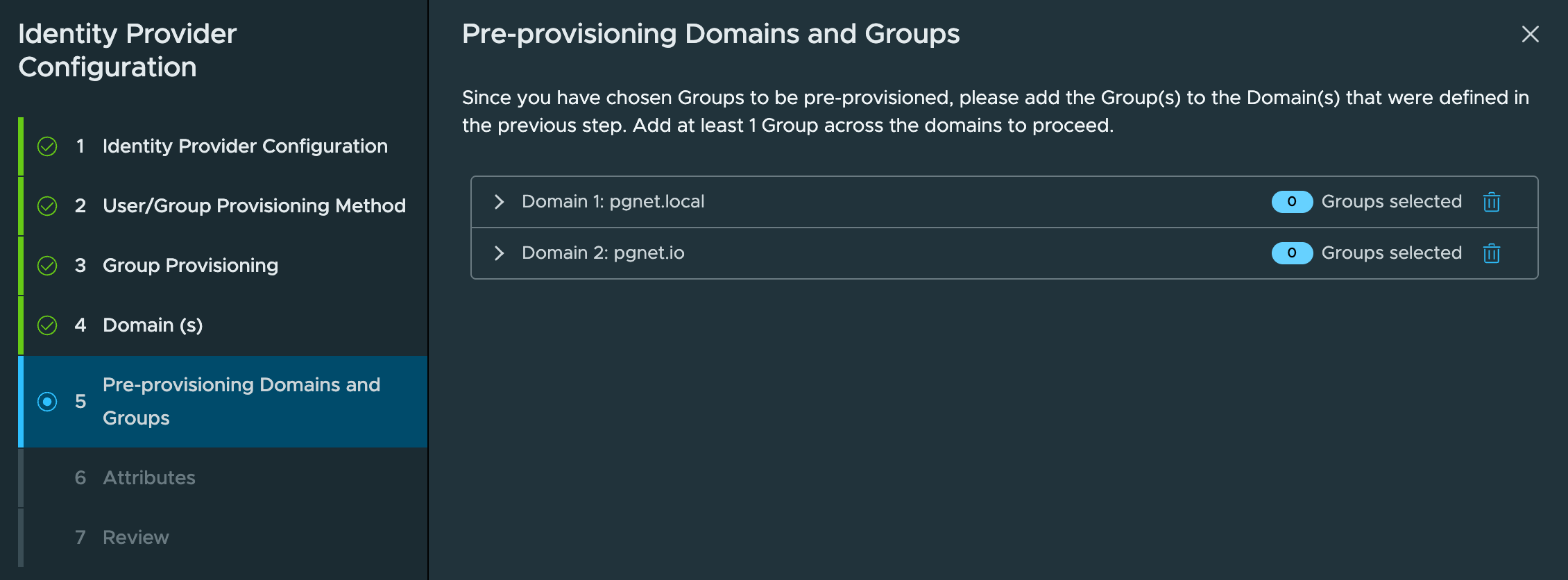
Pre-provision at least one group across the domains. Here vcf-admin is added under pgnet.io. Group attribute values are case-sensitive and a given group name must live in one domain only.
5. Attributes
Map the OIDC claims to identity-broker attributes. Attribute names are case-sensitive.
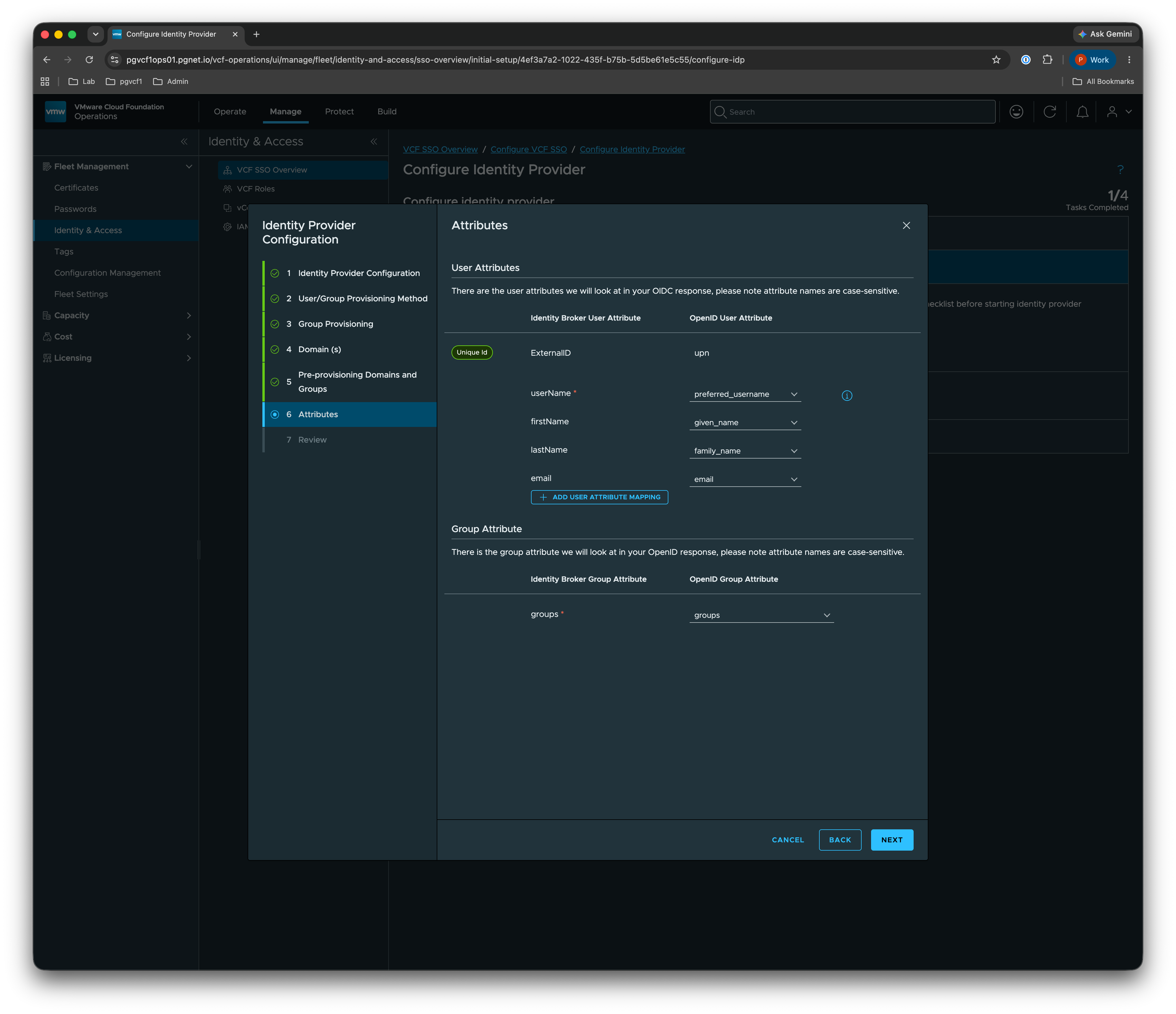
| Identity Broker attribute | OpenID claim |
|---|---|
| Unique Id — ExternalID | upn |
| userName | preferred_username |
| firstName | given_name |
| lastName | family_name (may be blank) |
email | |
| Group attribute — groups | groups |
⚠️ Mixed AD + local users. The screenshot maps userName →
preferred_username, which works for localpgnet.iousers. For AD/LDAP users this breaks JIT with “Jit user domain is required” —userNamemust be domain-qualified, so map userName →upnif you are onboarding AD users. See Gotchas.
6. Review
Confirm the summary — deployment mode, authentication information, directory information (JIT, Groups Pre-provisioning, domains, attributes) — and finish.
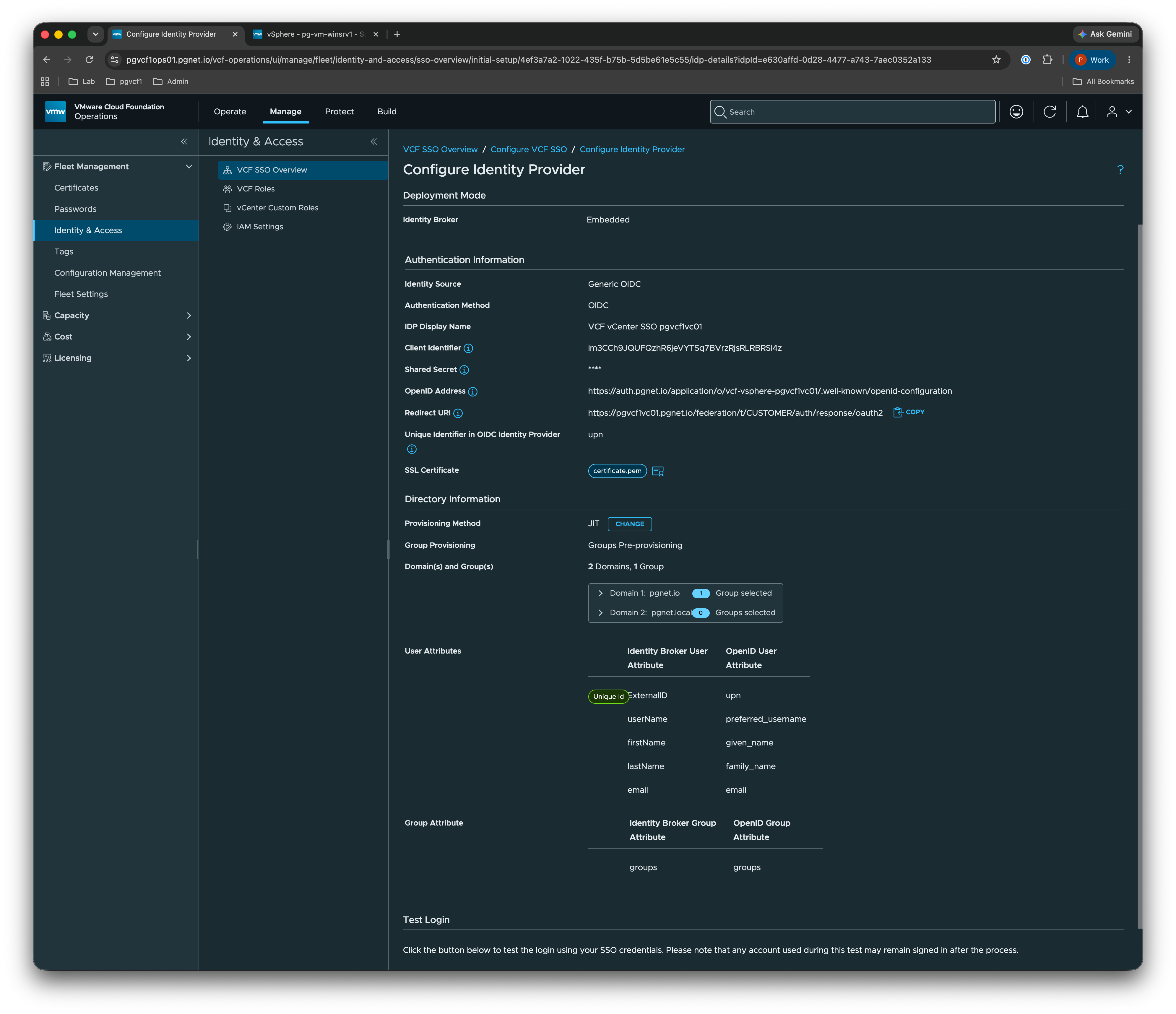
User and group provisioning is then marked complete automatically because of the OIDC choice.
Part 3 — Assign VCF roles
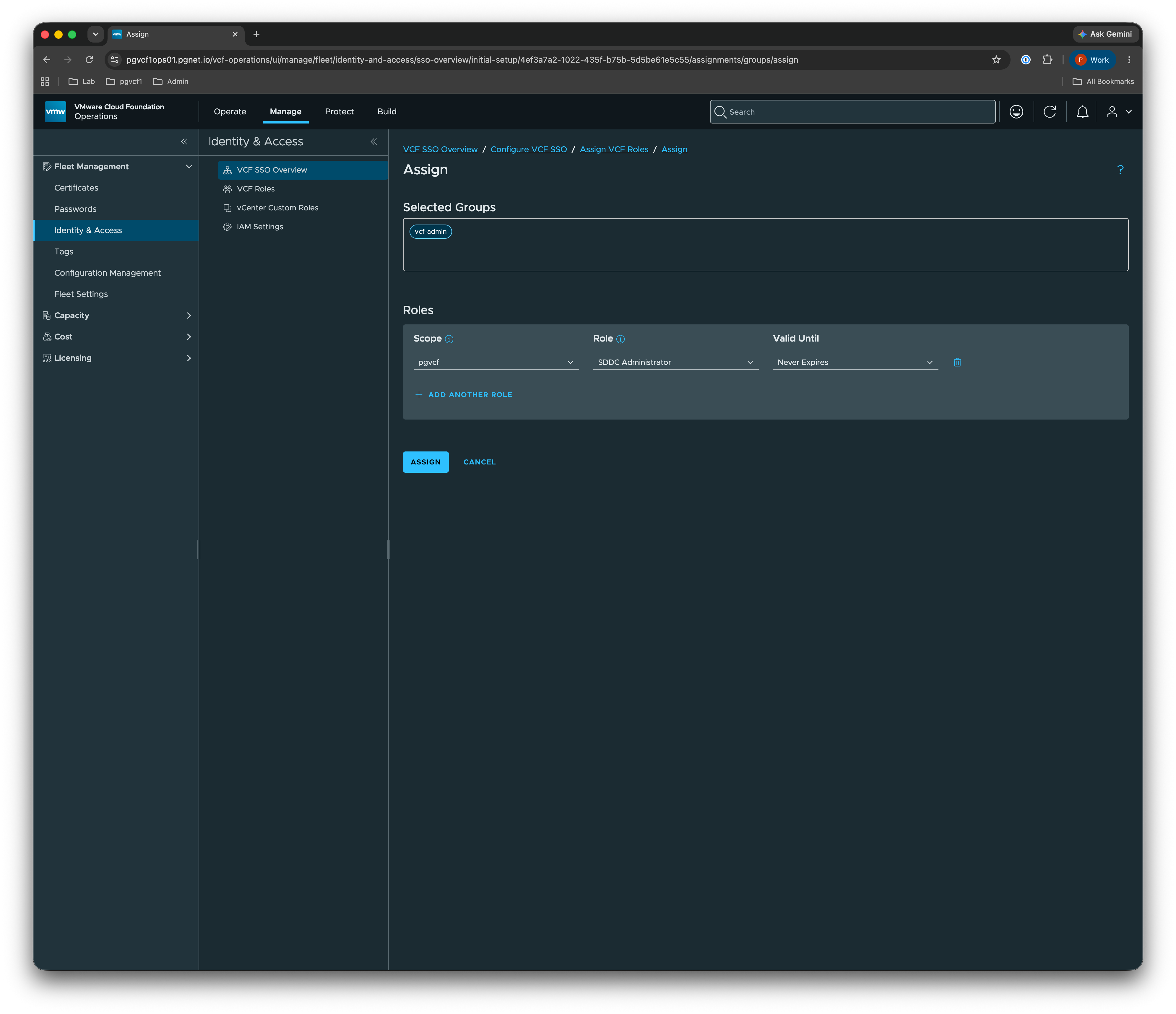
With the IdP configured, assign the pre-provisioned group to a VCF role. Select vcf-admin, scope pgvcf1, role SDDC Administrator, valid Never Expires.
The group appears in the Assign VCF Roles list as vcf-admin / pgnet.io / SDDC Administrator. VCF-level roles are new in 9.1; component-level roles are still assigned per component (Part 4).
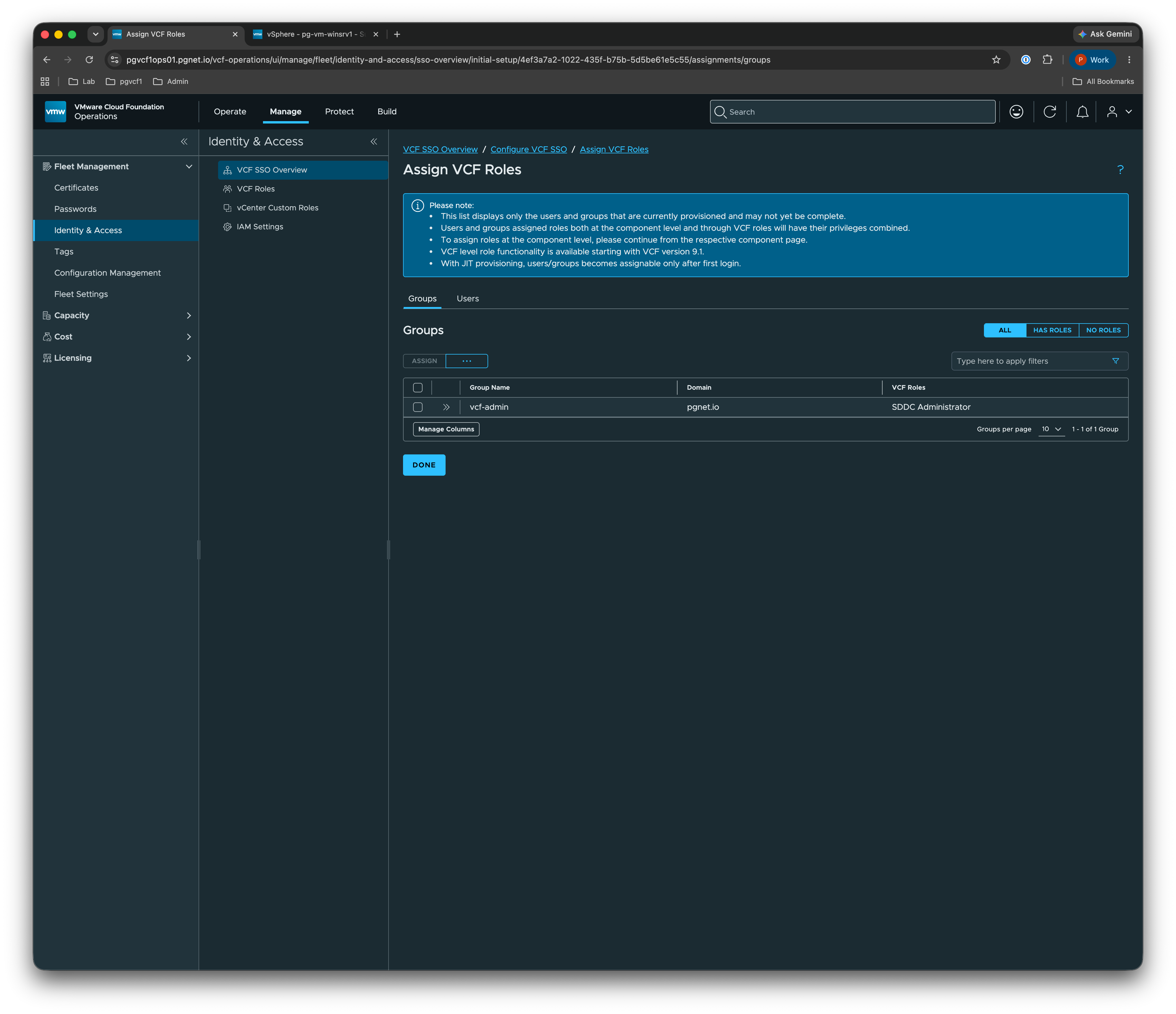
With JIT provisioning, a user becomes assignable only after their first login.
Part 4 — Component role assignments
VCF-level roles cover the fleet, but each component still needs the SSO group mapped to a local role. This mirrors the 9.0.2 workflow, now using the OIDC group vcf-admin@pgnet.io.
vCenter
Log in to the vSphere Client → Administration → Single Sign On → Users and Groups → Administrators, and confirm/add vcf-admin@pgnet.io as a member (or add it under Global Permissions with the Administrator role, propagating).
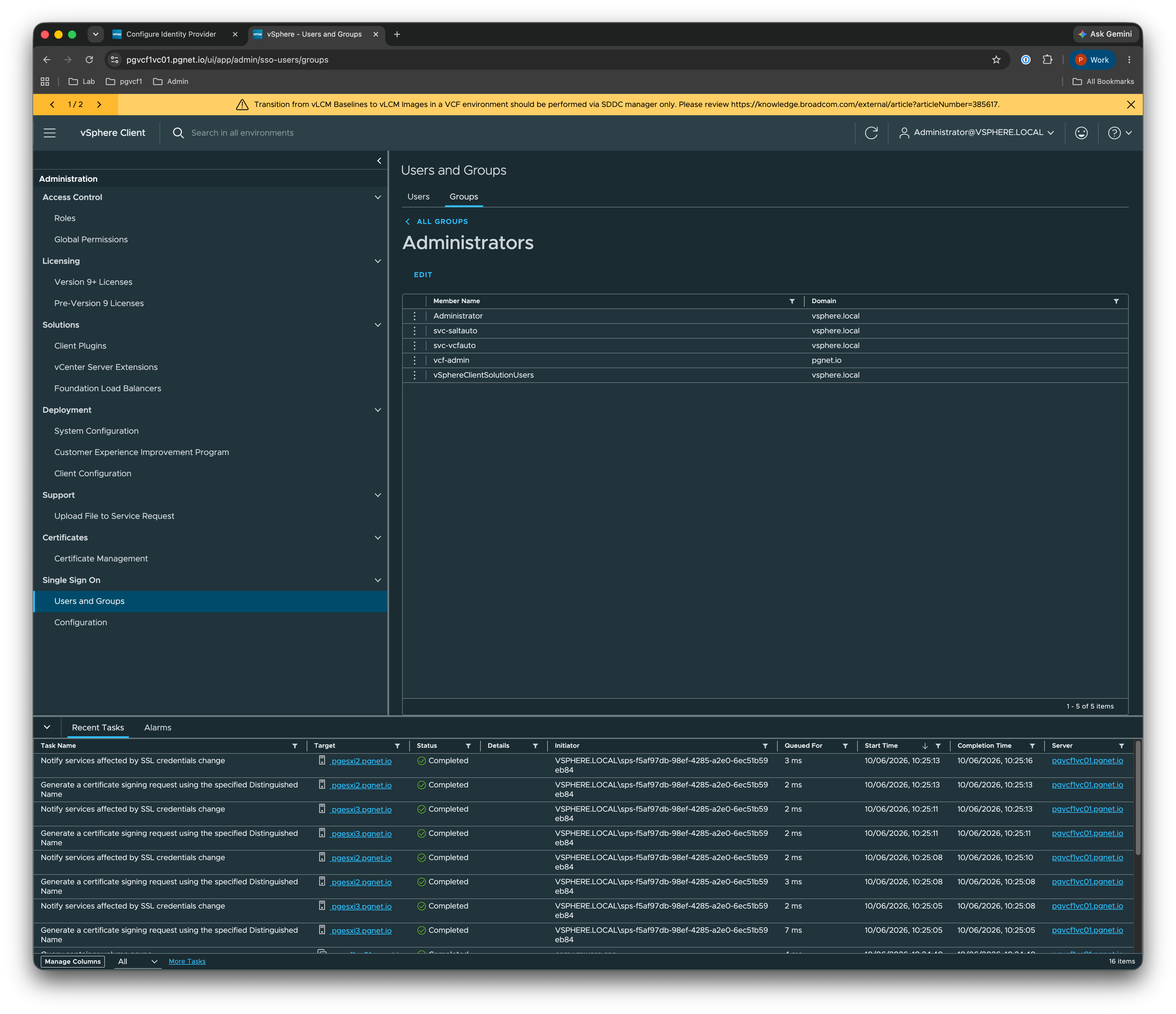
VCF Operations
In VCF Operations → Administration → Control Panel → Access Control → User Groups, select ... → Import from Source.
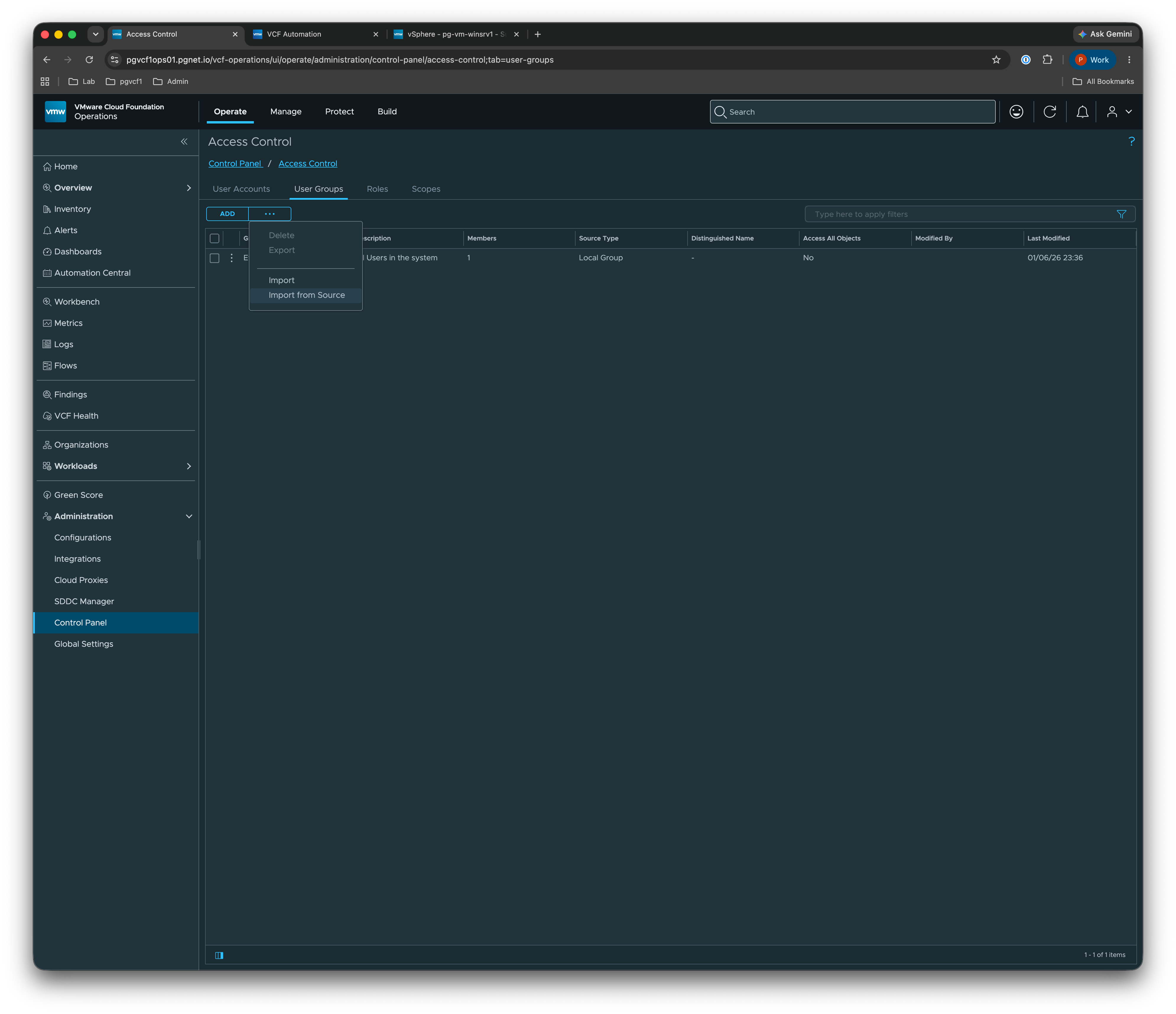
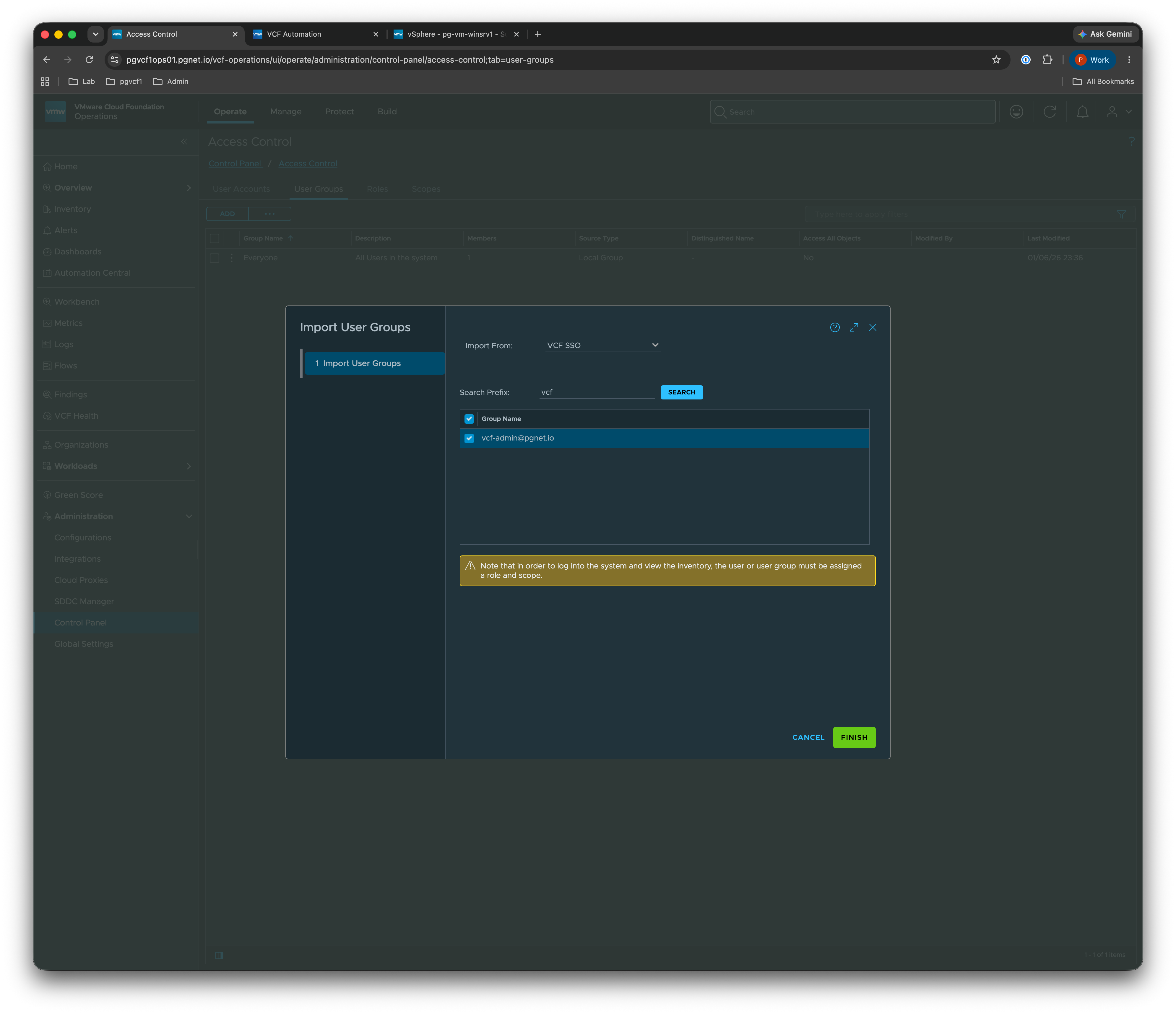
Import from VCF SSO, search the prefix vcf, and select vcf-admin@pgnet.io → Finish.
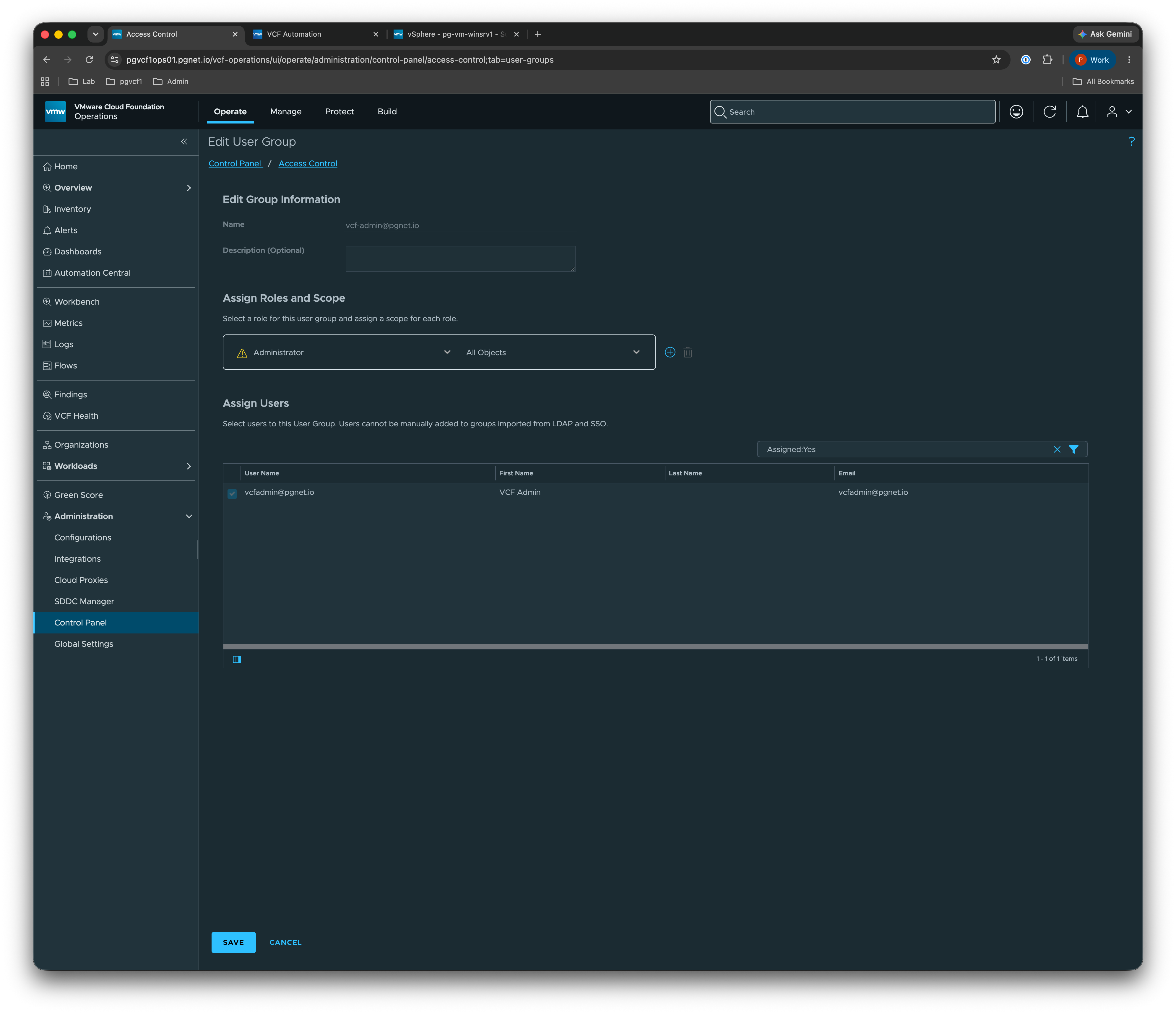
Edit the imported group → Assign Roles and Scope → role Administrator, scope All Objects → Save.
NSX Manager
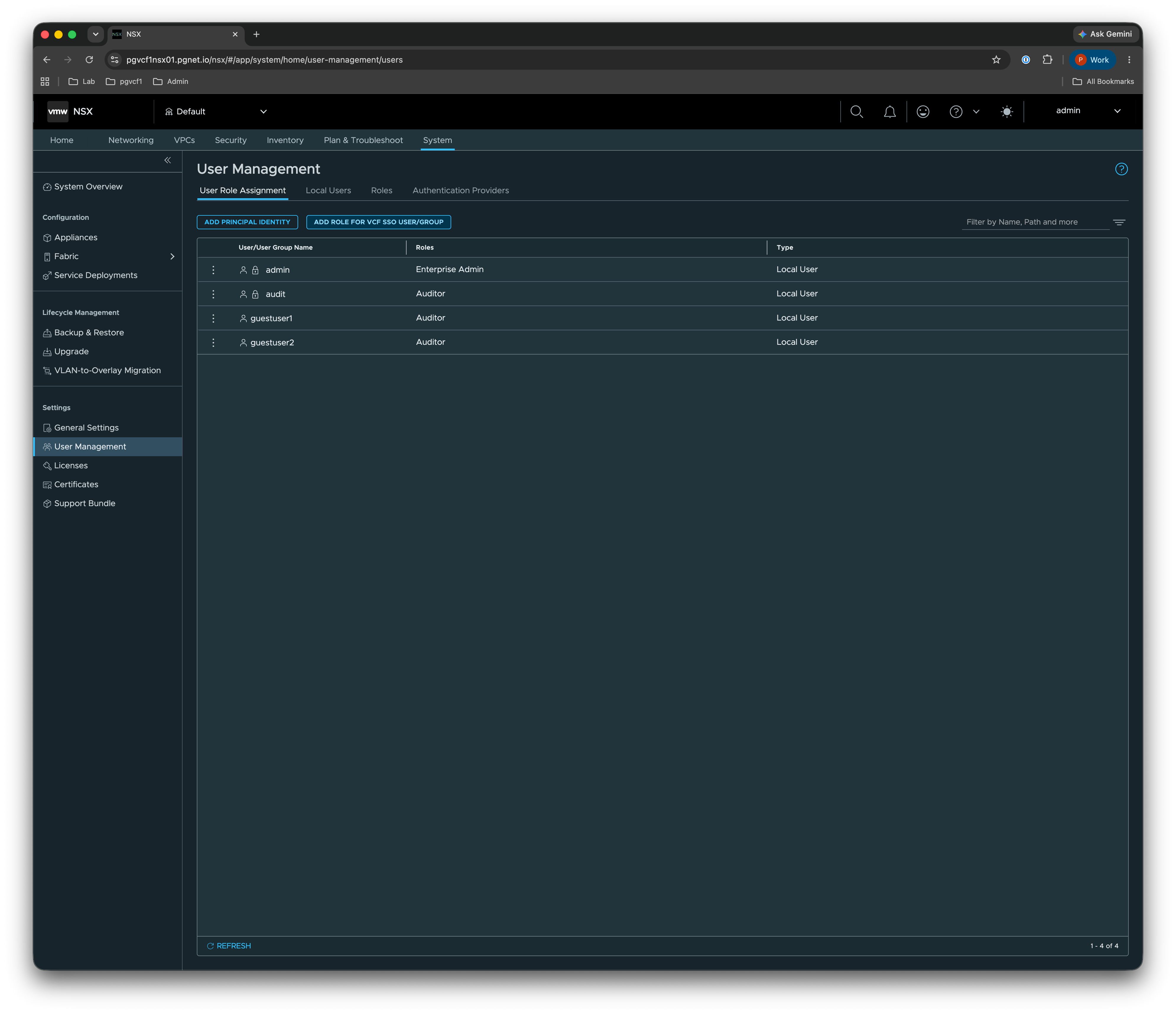
Log in to NSX (pgvcf1nsx01.pgnet.io) → System → User Management → User Role Assignment → ADD ROLE FOR VCF SSO USER/GROUP.
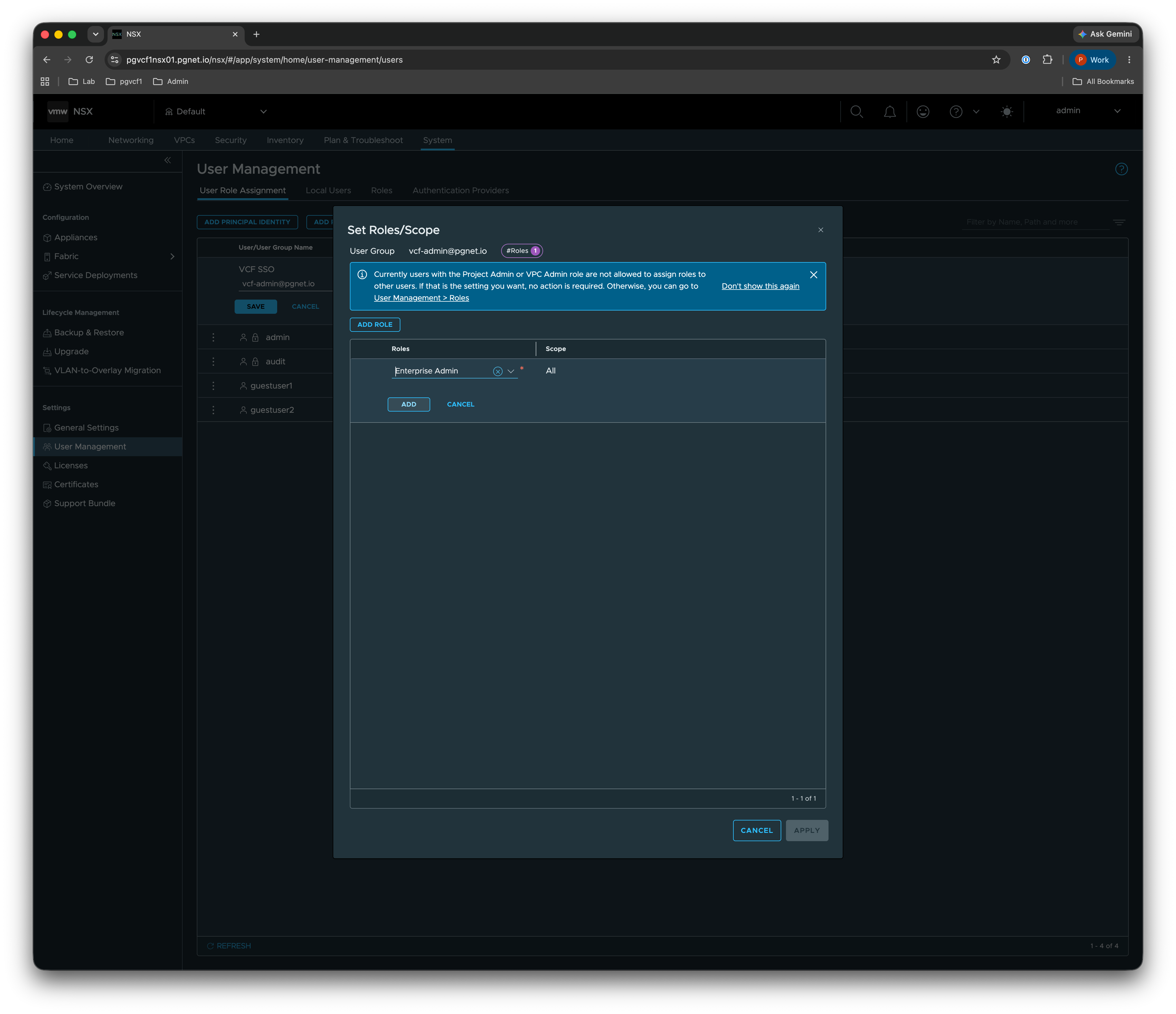
Set the user group to vcf-admin@pgnet.io, role Enterprise Admin, scope All → Apply.
Gotchas
The five things that cost time, distilled from lab experience:
- Back-channel CA trust. vCenter calls
auth.pgnet.ioserver-side (/token,/jwks) using the internalpgnet-WINSRV1-CA. Import the pgnet root + issuing CA into vCenter’s trusted roots (Administration → Certificate Management). Symptom if missing: a generic “Identity Broker encountered an issue.” - Use
upn, notsub/email. AD/LDAP users have no email, so any email-based identifier breaks them. The customupnclaim (UPN-or-email) covers everyone. userNamemust be domain-qualified (map it toupn). A barepreferred_usernamefor AD users yields “Jit user domain is required.”- Group name unique per domain. The bare
groupsclaim cannot have the same name pre-provisioned in two domains — that returns “IncorrectResultSizeDataAccessException: 2 results were returned” (HTTP 500). Keep each group in one domain; give AD and local admin groups distinct names. - Scopes. vCenter must request
openid profile email groups, or theupnandgroupsclaims never arrive.
Diagnosing: the authentik event log shows the front-channel authorize_application event and the scopes actually requested. The real vCenter error is in the identity-broker audit log on the VCSA (/var/log/vmware/identity-broker/*.log — look for auditID="login_error" and the reason).