Post-Deployment: Identity & SSO
Active Directory integration, LDAP identity source, group mappings, and role assignments across vCenter, NSX, and VCF Operations.
Pre-requisite: Windows Active Directory must be fully deployed. See Windows AD Deployment.
Active Directory Integration
- Domain:
pgnet.local - Action: Log in to SDDC Manager and/or vCenter Server.
- Identity Provider: Configure LDAPS connection to your AD Domain Controller (
10.200.1.240forwards these requests). - Groups: Map your VCF Admin group from
pgnet.localto the Cloud Admin role.
SSO Configuration for VCF Operations
Adds AD users and groups as authenticated users across the VCF Operations suite. Create an embedded identity broker SSO domain:
-
Select VCF domain —
pgvcf1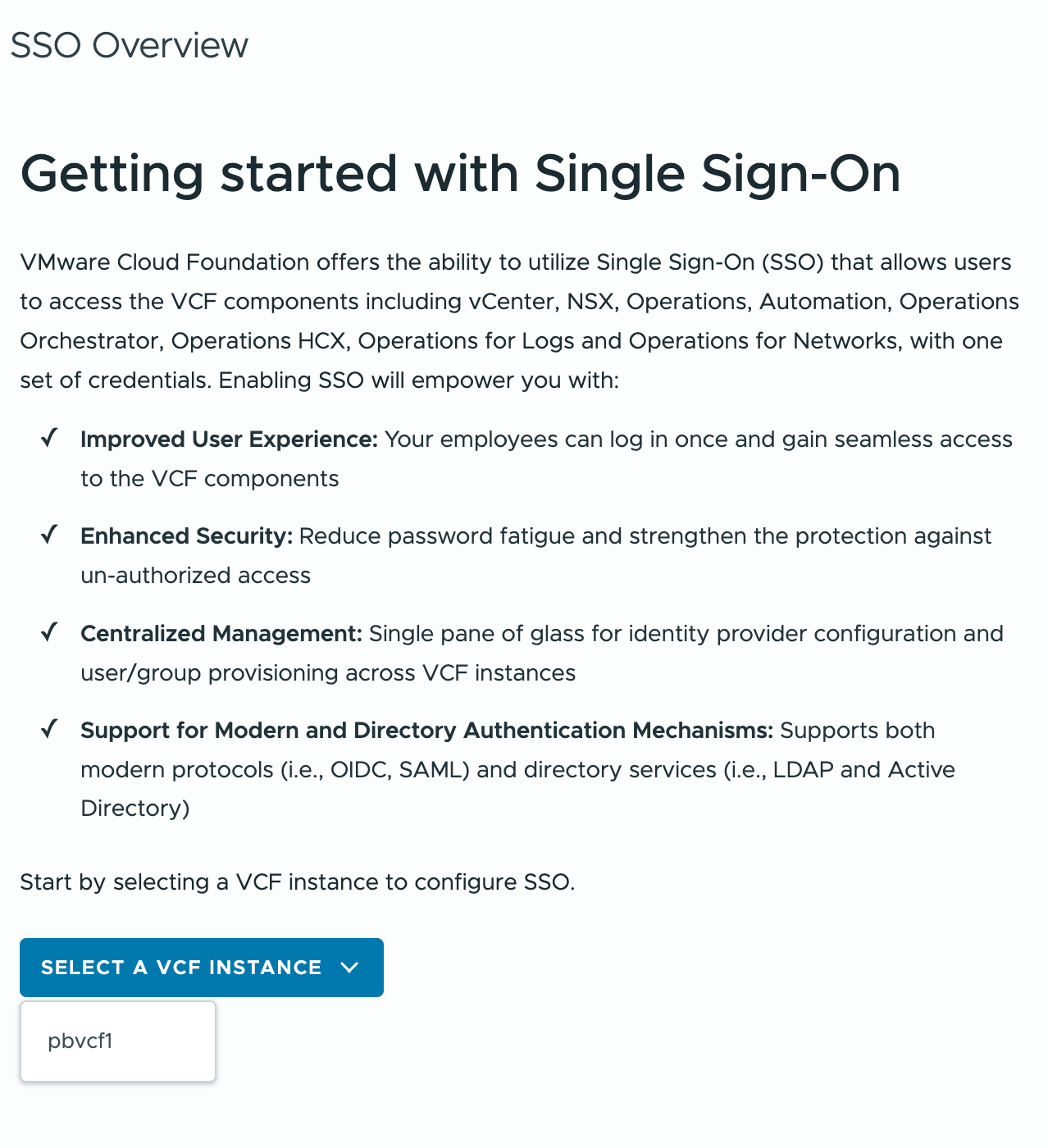
-
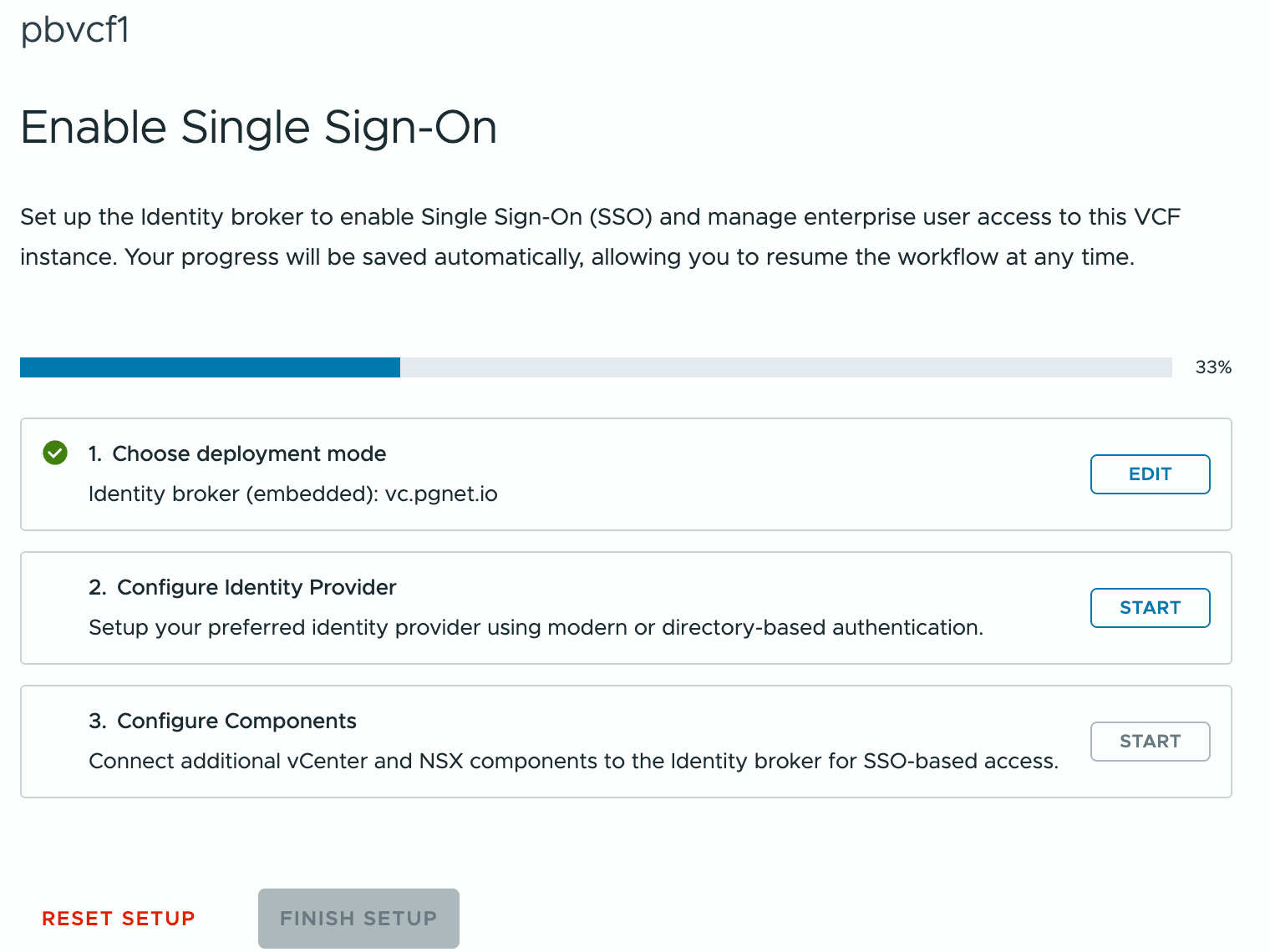
Choose deployment mode
Start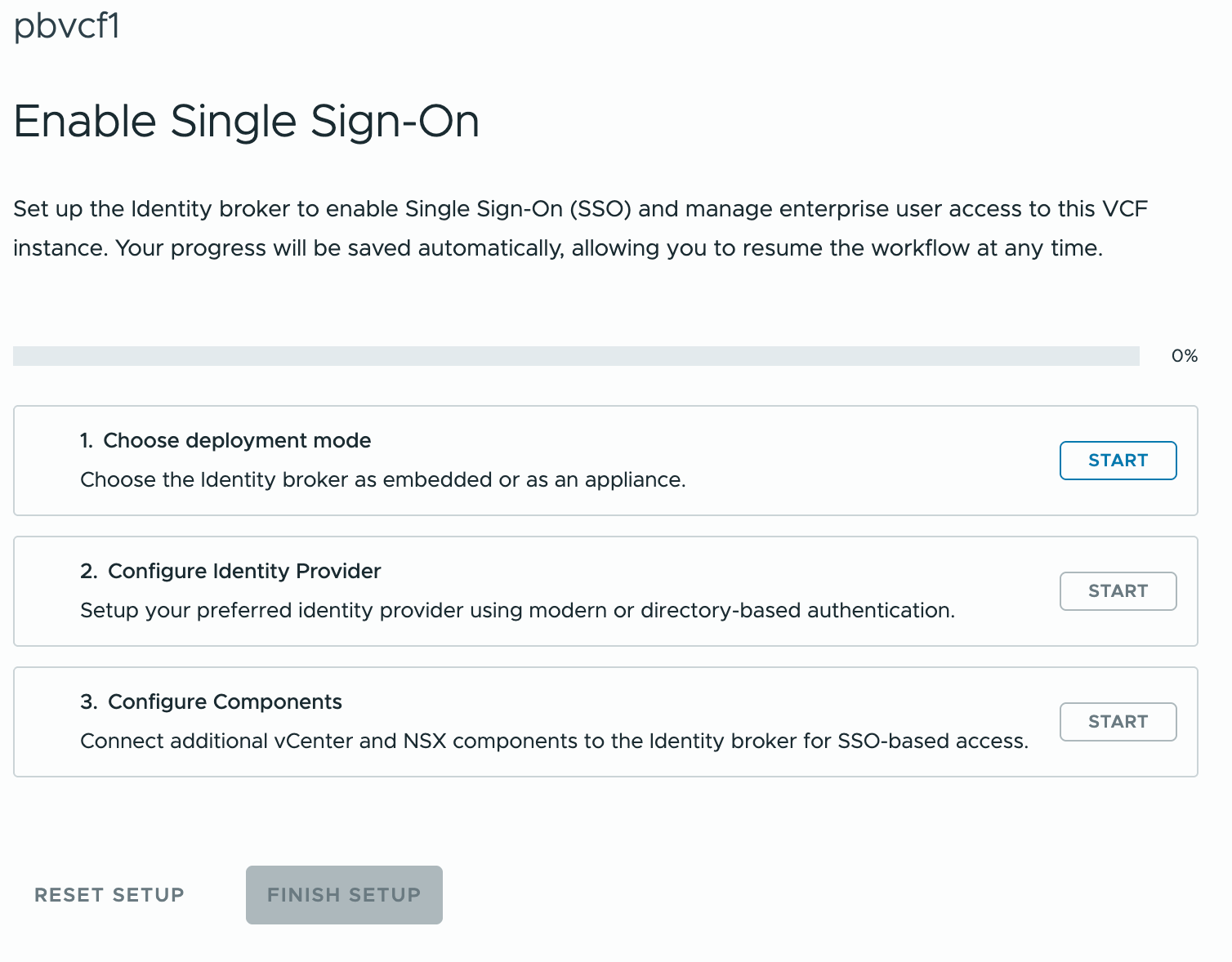
-
Select Identity Broker (Embedded)
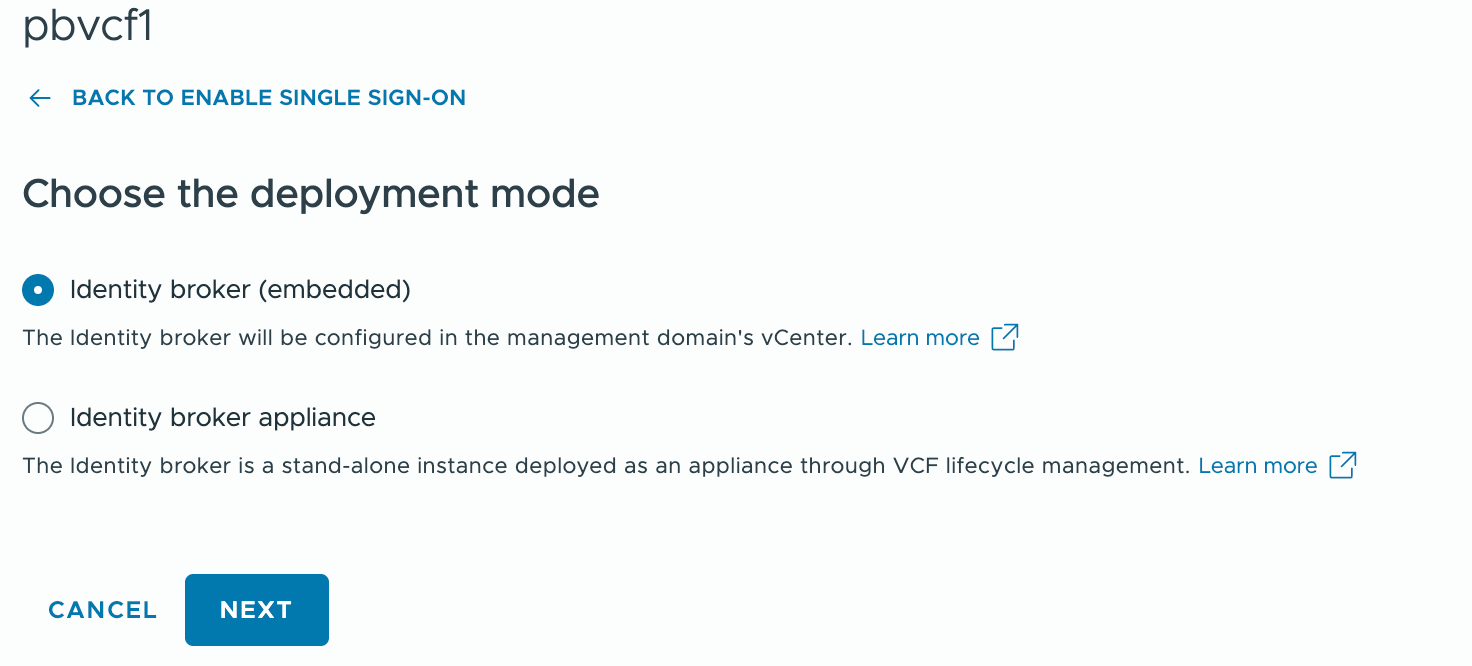
-
Select Configure Identity Provider
-
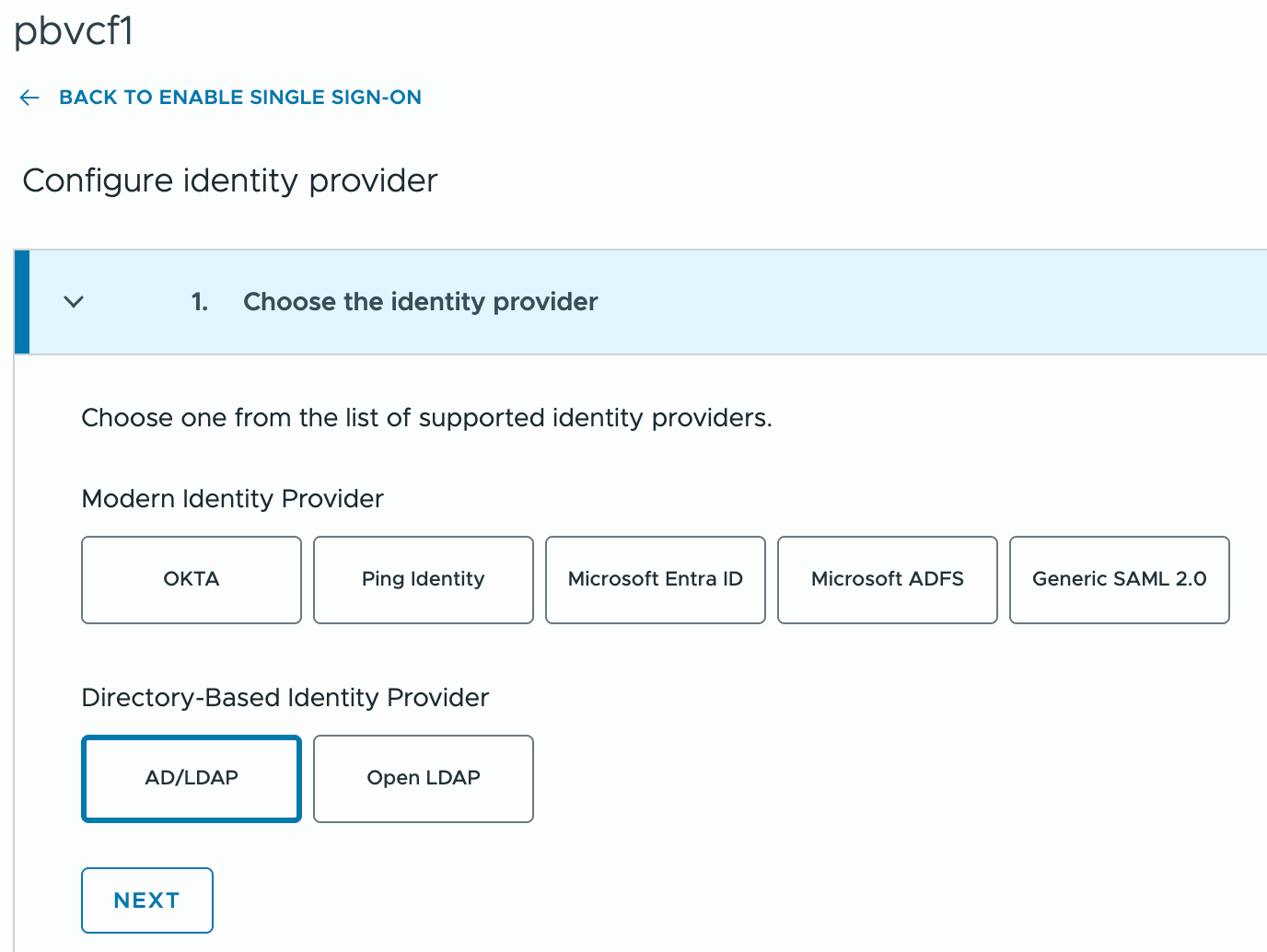
Select Directory-Based Identity Provider — AD/LDAP
-
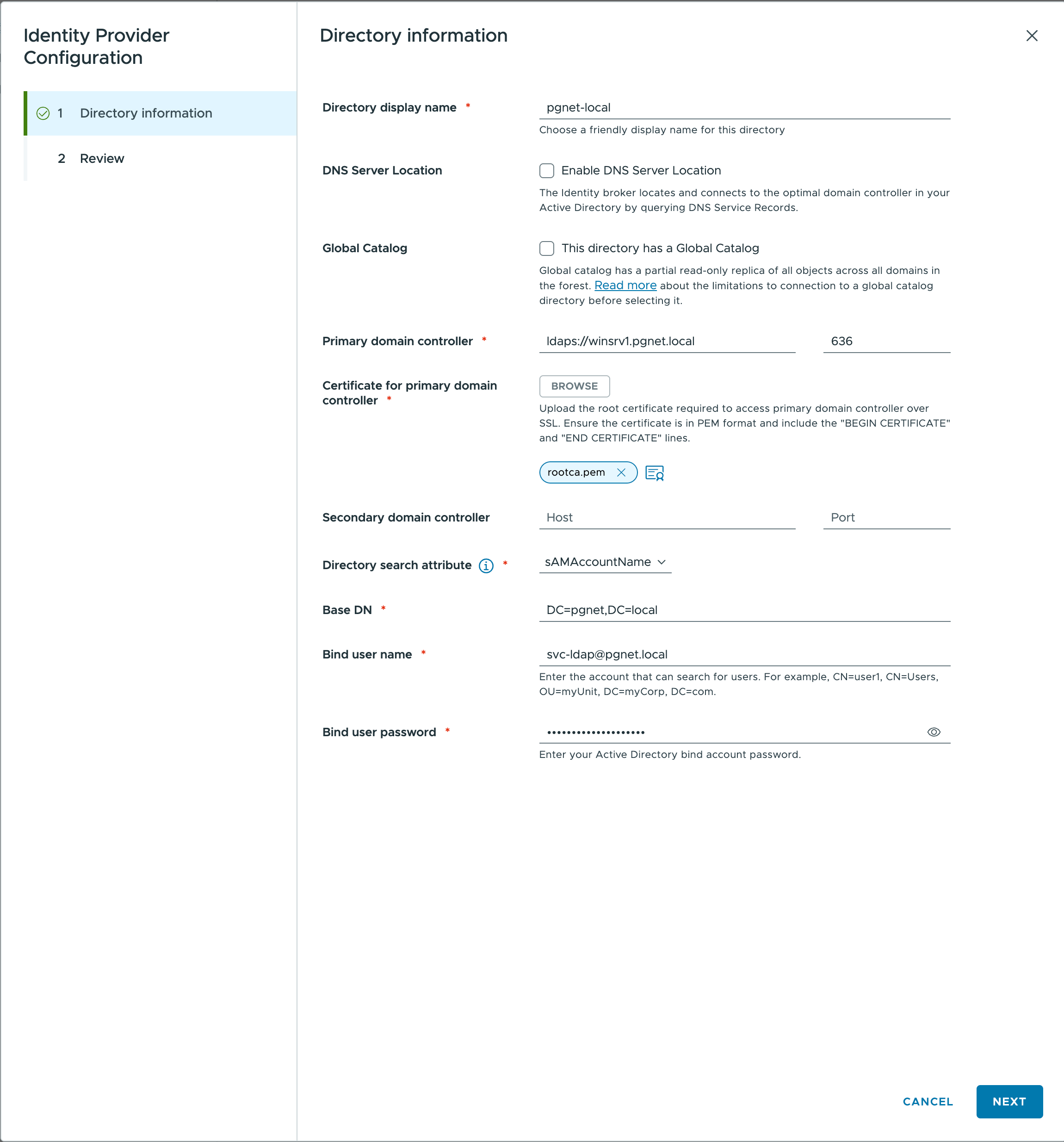
Configure LDAP (see table below)
-
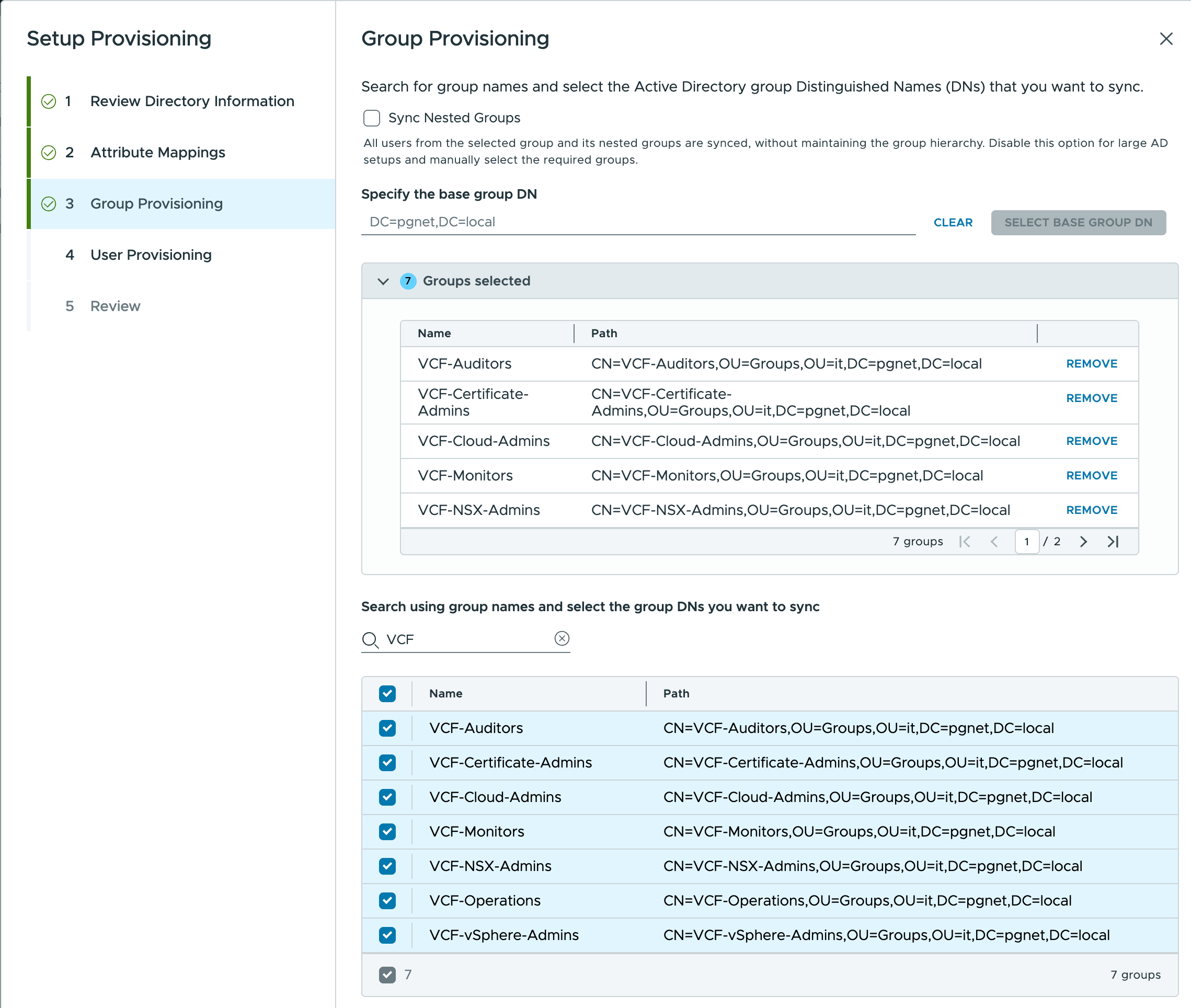
Configure Group Mappings (see table below)
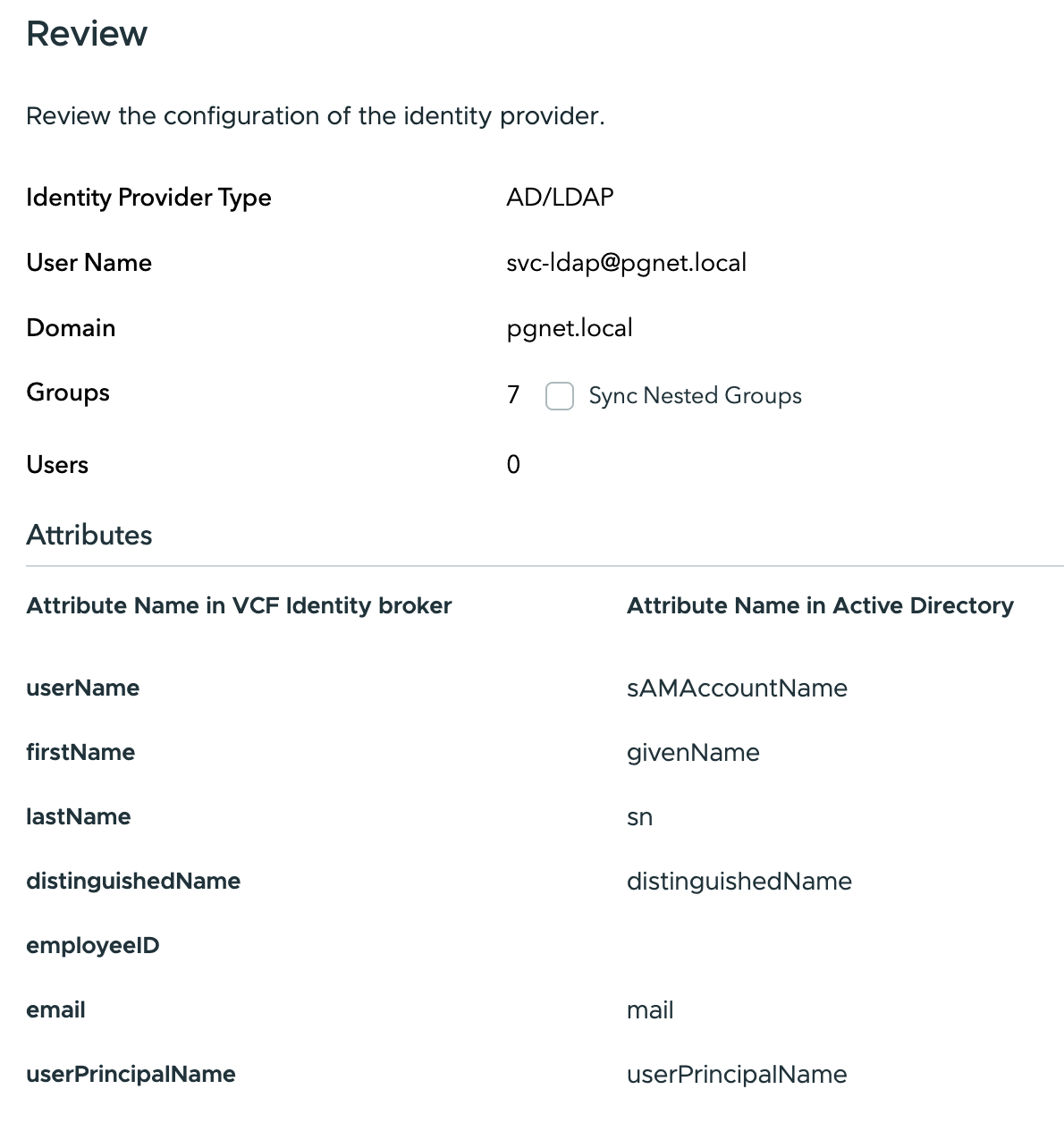
LDAP Configuration
| Field | Value | Notes |
|---|---|---|
| Identity Source Type | Active Directory over LDAP | |
| Identity source name | pgnet-local | |
| Primary Domain Controller | winsrv1.pgnet.local | |
| Primary Domain Controller Port | 636 | |
| Base DN for users | DC=pgnet,DC=local | Entire domain scope |
| Base DN for groups | DC=pgnet,DC=local | Entire domain scope |
| Domain name | pgnet.local | |
| Domain alias | pgnet | |
| Username | svc-ldap@pgnet.local | Bind account created by Salt |
| Password | VMware123!VMware123! | Default service account password |
| Connect to | Specific domain controllers | |
| Primary server URL | ldaps://winsrv1.pgnet.local | Requires CA cert trust - will set port |
| Certificates | Upload Root CA Certificate | Export from NAS/SMB share (rootca.cer) |
Group Mapping
| VCF Identity Broker Attribute | Active Directory Attribute |
|---|---|
| userName * | sAMAccountName |
| firstName | givenName |
| lastName | sn |
| distinguishedName | distinguishedName |
| employeeID | (Not Mapped) |
mail | |
| userPrincipalName | userPrincipalName |
User Groups in Active Directory
| Name | Path |
|---|---|
| VCF-Auditors | CN=VCF-Auditors,OU=Groups,OU=it,DC=pgnet,DC=local |
| VCF-Certificate-Admins | CN=VCF-Certificate-Admins,OU=Groups,OU=it,DC=pgnet,DC=local |
| VCF-Cloud-Admins | CN=VCF-Cloud-Admins,OU=Groups,OU=it,DC=pgnet,DC=local |
| VCF-NSX-Admins | CN=VCF-NSX-Admins,OU=Groups,OU=it,DC=pgnet,DC=local |
| VCF-Operations | CN=VCF-Operations,OU=Groups,OU=it,DC=pgnet,DC=local |
| VCF-vSphere-Admins | CN=VCF-vSphere-Admins,OU=Groups,OU=it,DC=pgnet,DC=local |
Users in Active Directory
| Name | Path |
|---|---|
| Domain Administrator | CN=Domain Administrator,OU=Users,OU=it,DC=pgnet,DC=local |
| DevOps Admin | CN=DevOps Admin,OU=Users,OU=it,DC=pgnet,DC=local |
| Infrastructure Admin | CN=Infrastructure Admin,OU=Users,OU=it,DC=pgnet,DC=local |
| Peter Hauck | CN=Peter Hauck,OU=Users,OU=it,DC=pgnet,DC=local |
Add SSO to VCF Components
-
Under the VCF Instance add the NSX server to SSO.
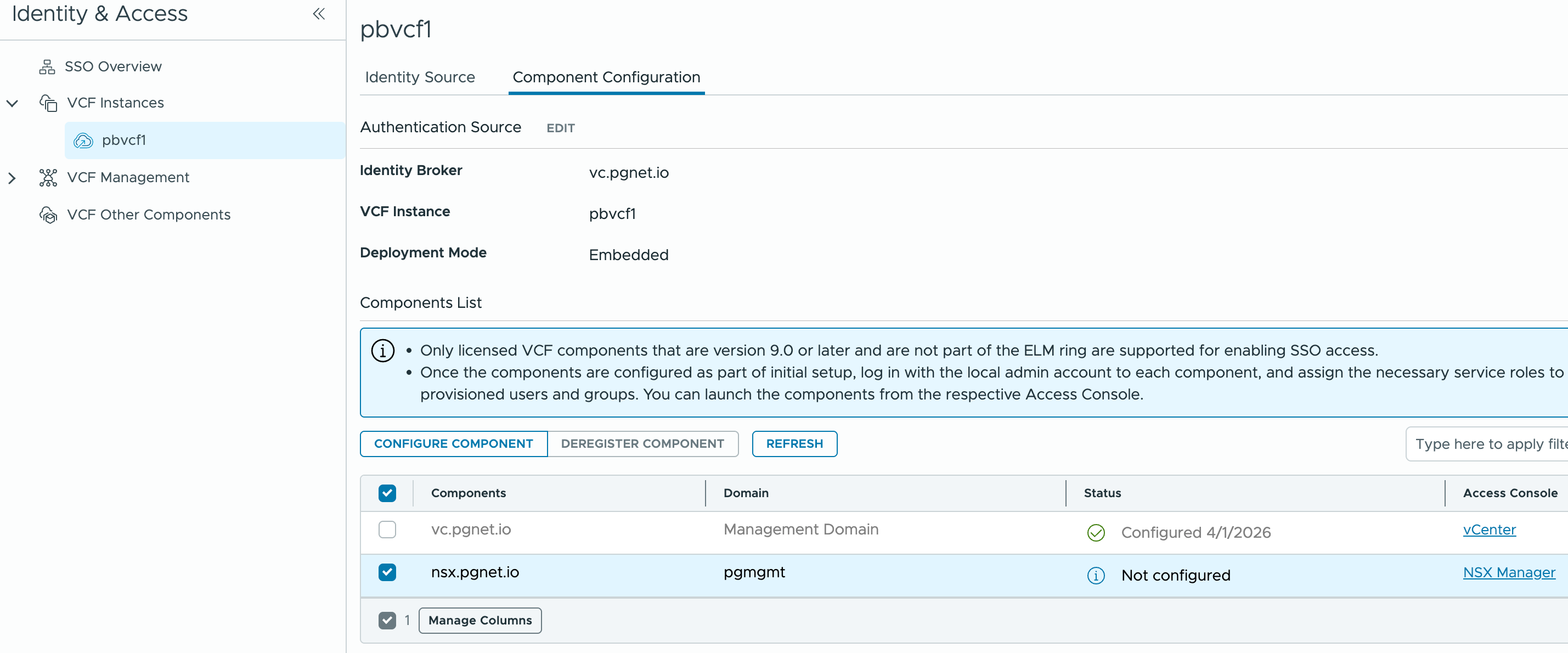
-
Under
VCF Managementselectoperations appliance→ Enable Single Sign-On → selectvc.pgnet.ioidentity broker.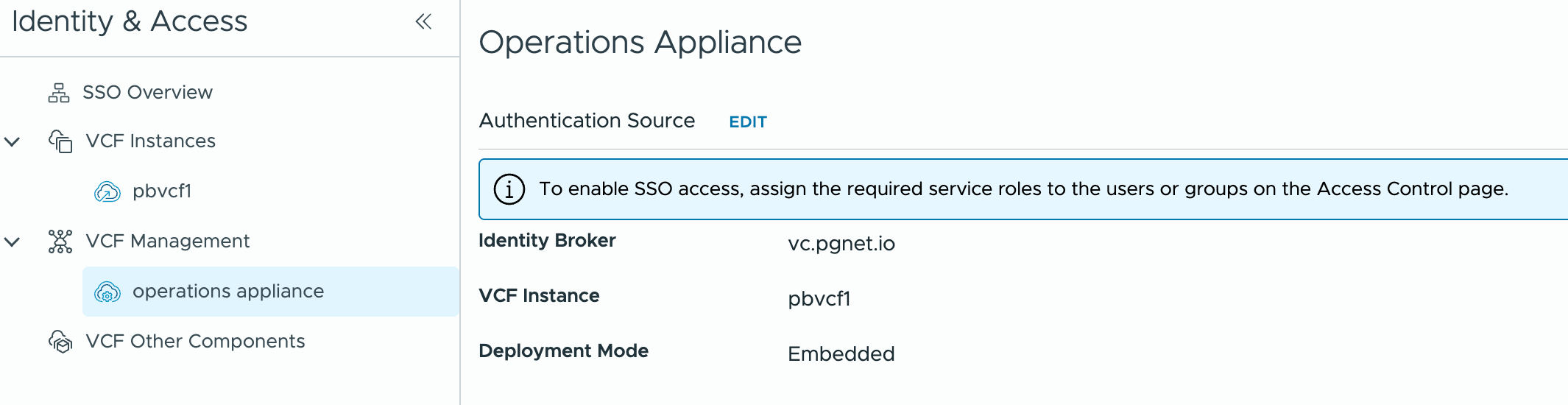
Role Assignments via AD Groups
VCF Operations
-
Login to local account —
ops.pgnet.io -
Administration → Control Panel → Access Control → User Groups
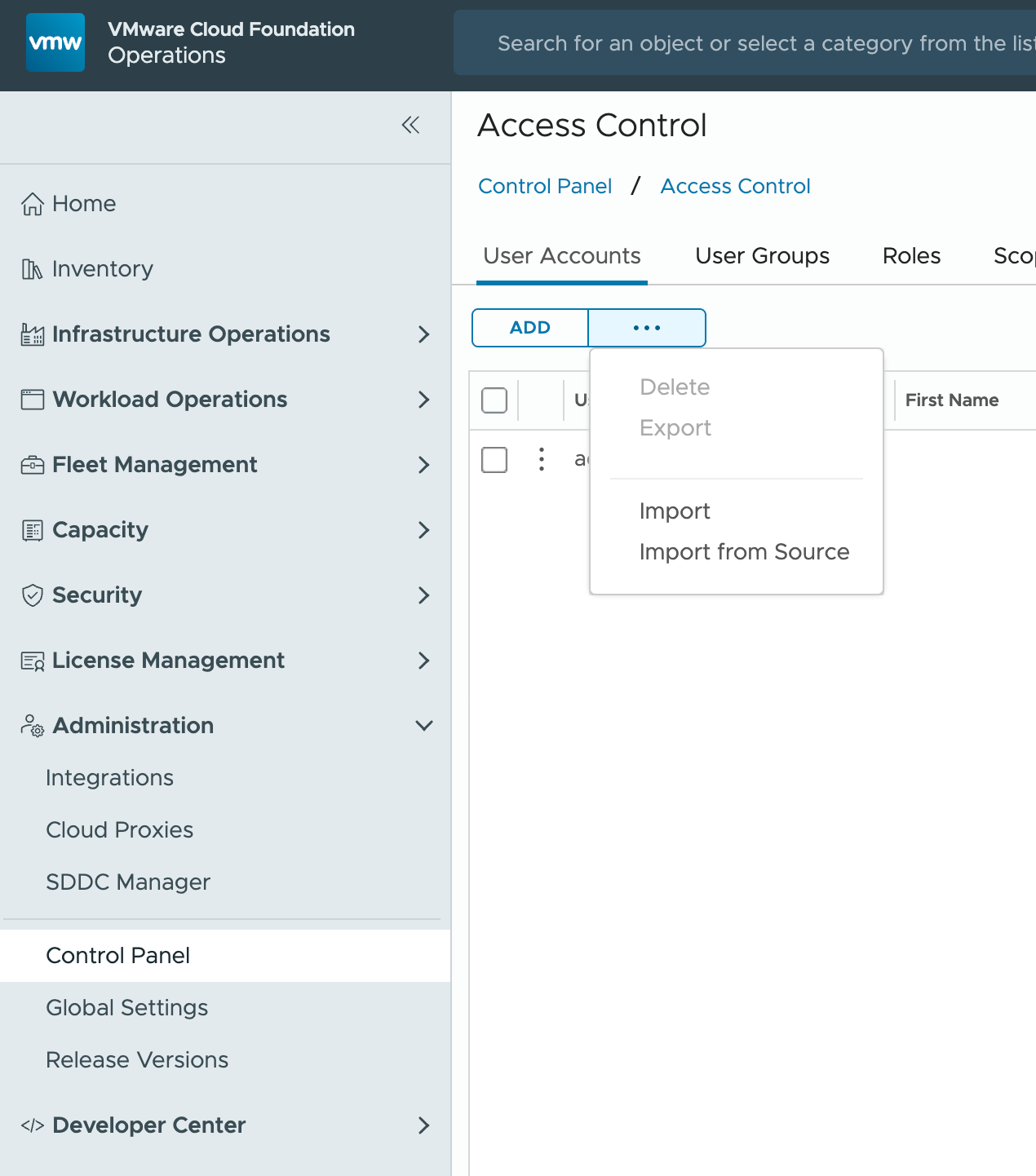
-
...→ Import from Source → SearchVCF→ SelectVCF-Cloud-Admins@pgnet.local→ Finish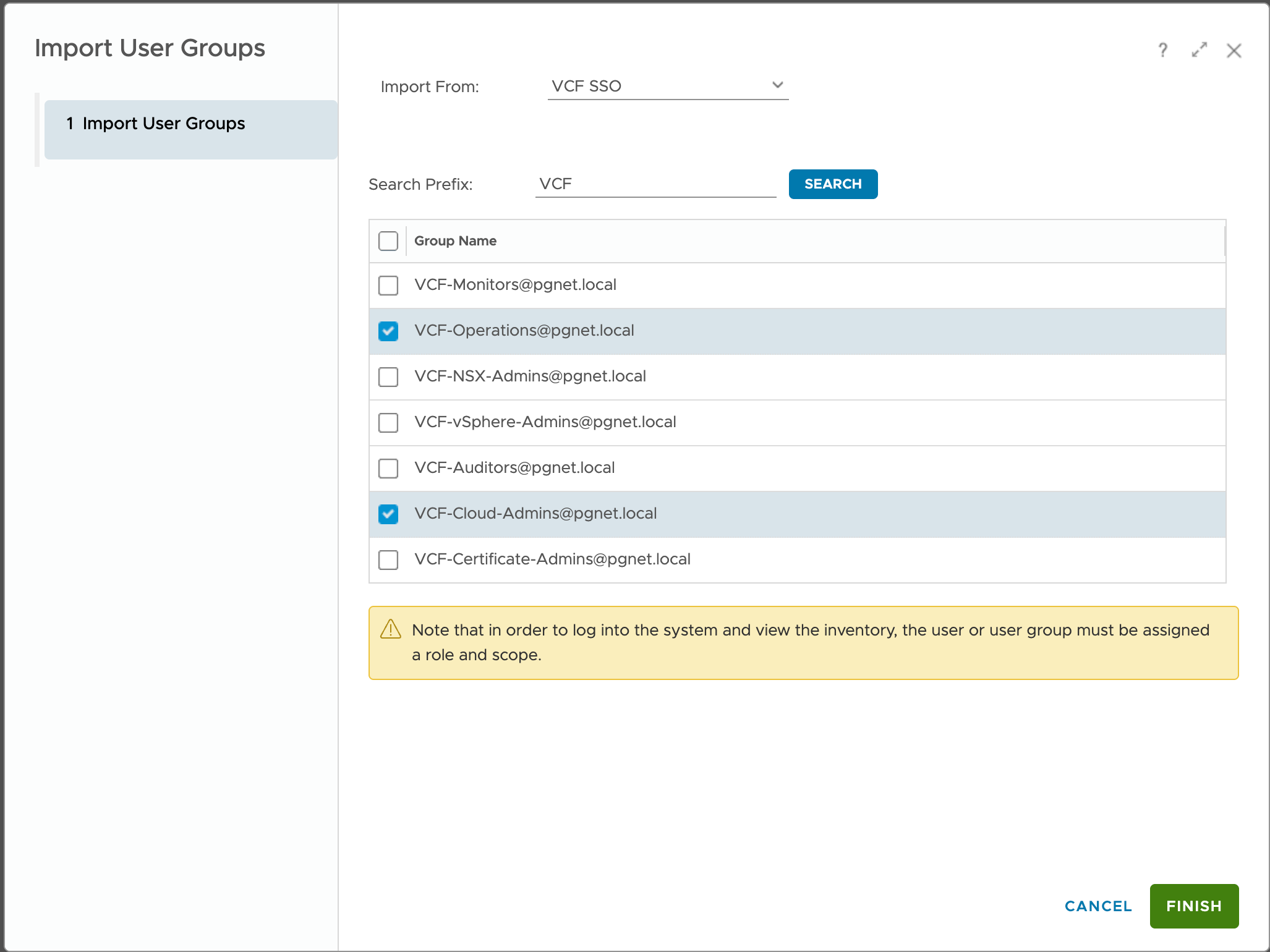
-
Edit the new group → assign
Administrator—All Objects→ Save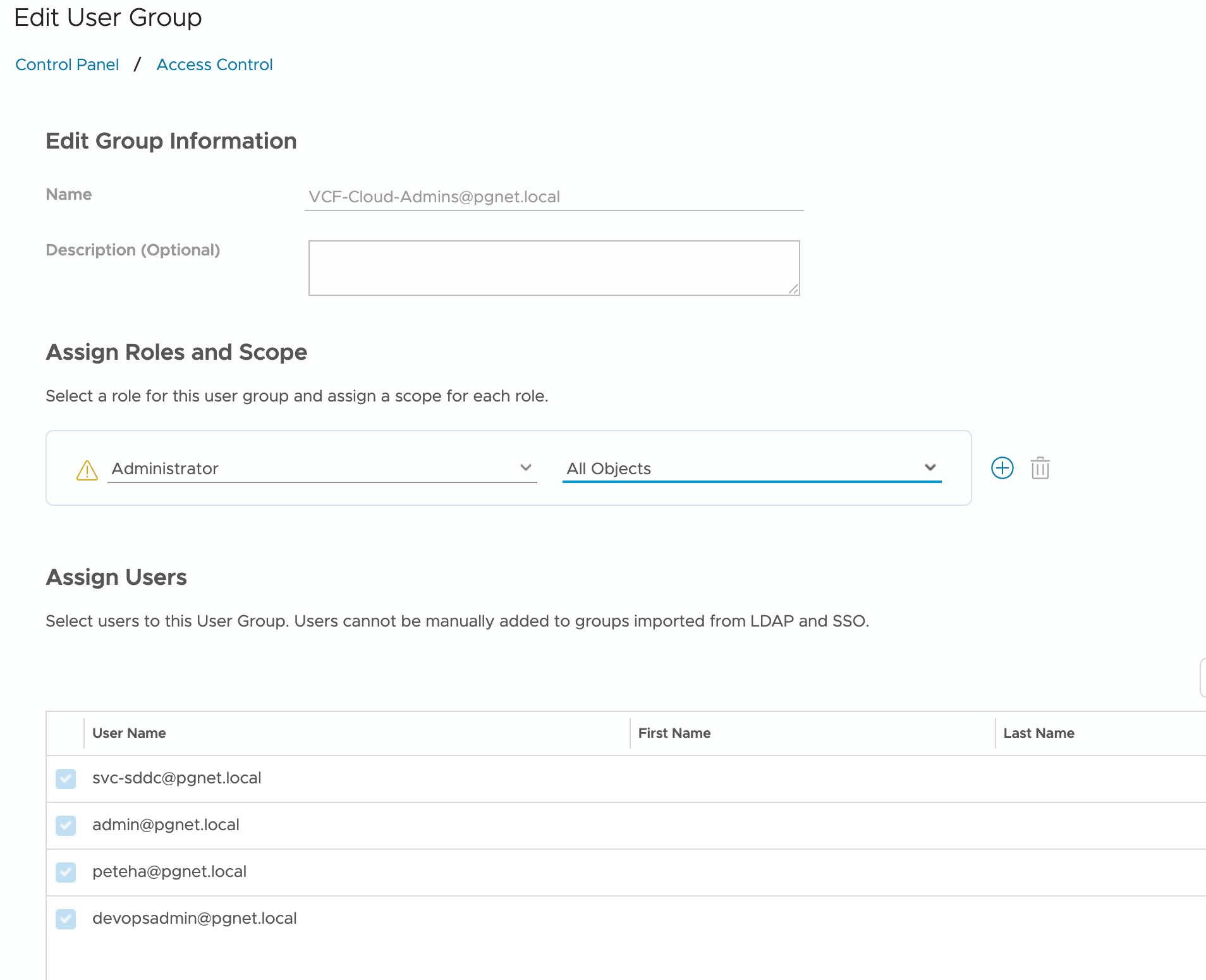
Workload Domain vCenter
-
Login to
vc.pgnet.iousing local account -
Administration → Users and Groups → Groups
-
Select
Administrators→ domainpgnet.local→ search and addVCF-Cloud-Admins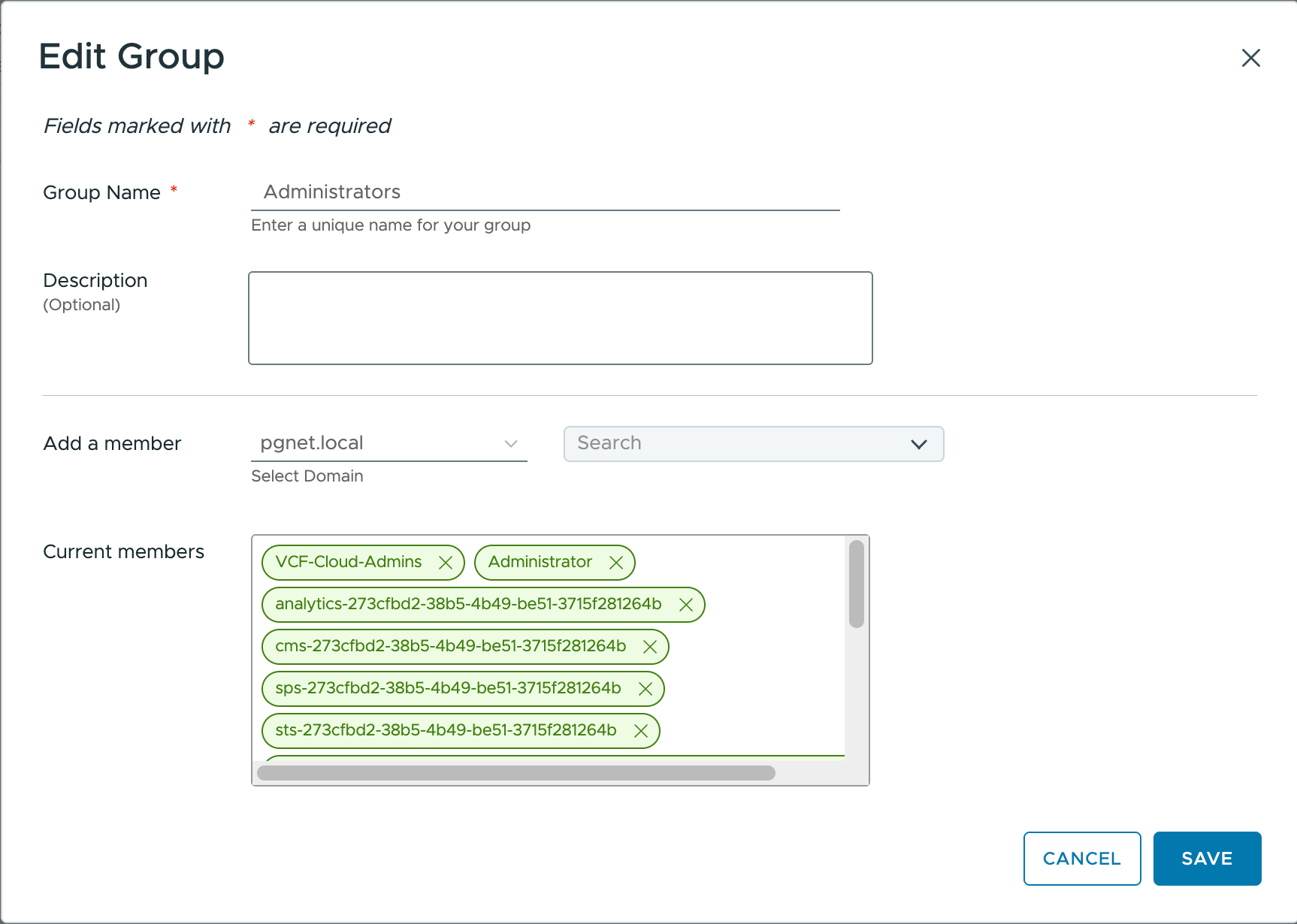
NSX Manager
-
Login to
nsx.pgnet.iousing local account -
System → User Management →
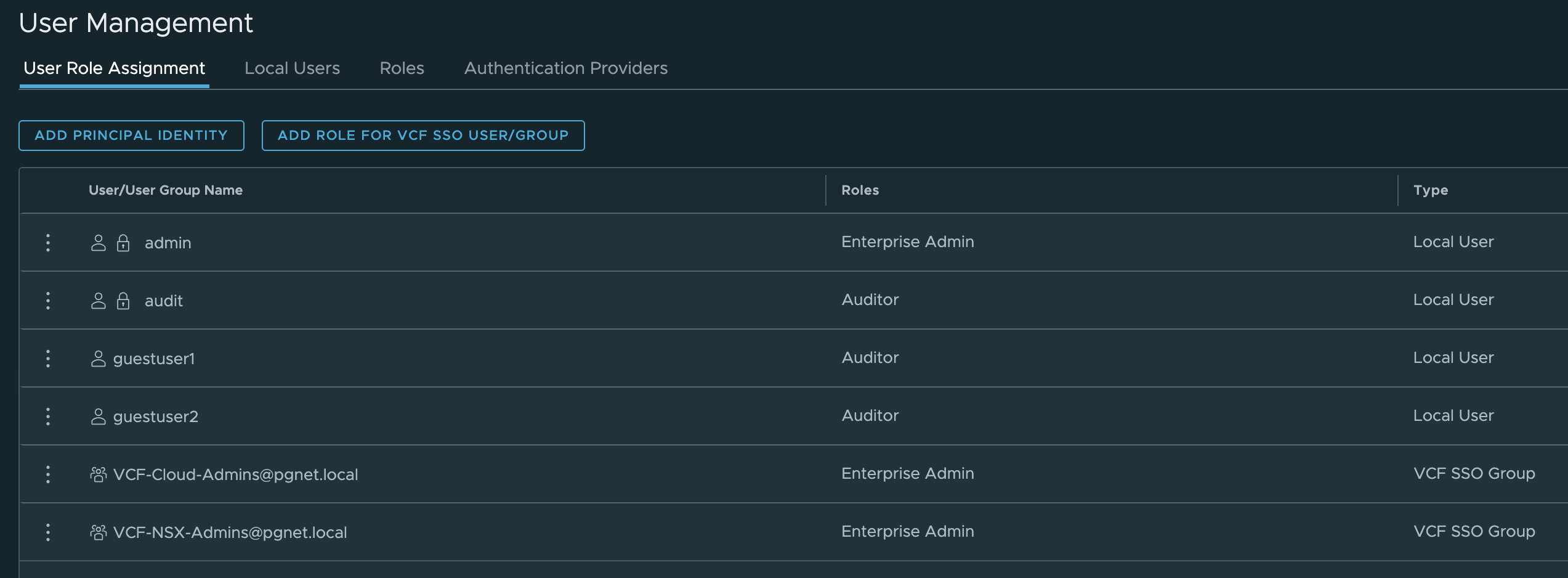
ADD ROLE FOR VCF SSO USER/GROUP -
Add
VCF-Cloud-Admins→ assign roleEnterprise Admin