vcf supervisor kubernetes vks nsx
Post-Deployment: Supervisor Deployment
Deploy the vSphere Supervisor cluster with VCF networking, storage policy, and NSX VPC configuration.
Prerequisite for VKSThis deployment is a mandatory step before proceeding to VKS & Supervisor Services. Complete networking (BGP & Edge) first.
Network Prerequisites
Ensure the VKS management port group exists before starting:
| Item | Setting |
|---|---|
| Distributed port group name | pgmgmt-cl01-vds01-pg-vksmgmt |
| Port binding | Static binding |
| Number of ports | 8 |
| Port allocation | Elastic |
| Network resource pool | (default) |
| VLAN ID | 208 |
Configure at: https://vc.pgnet.io/ui/app/workload-platform/vsphere-network-introduction
Supervisor Deployment
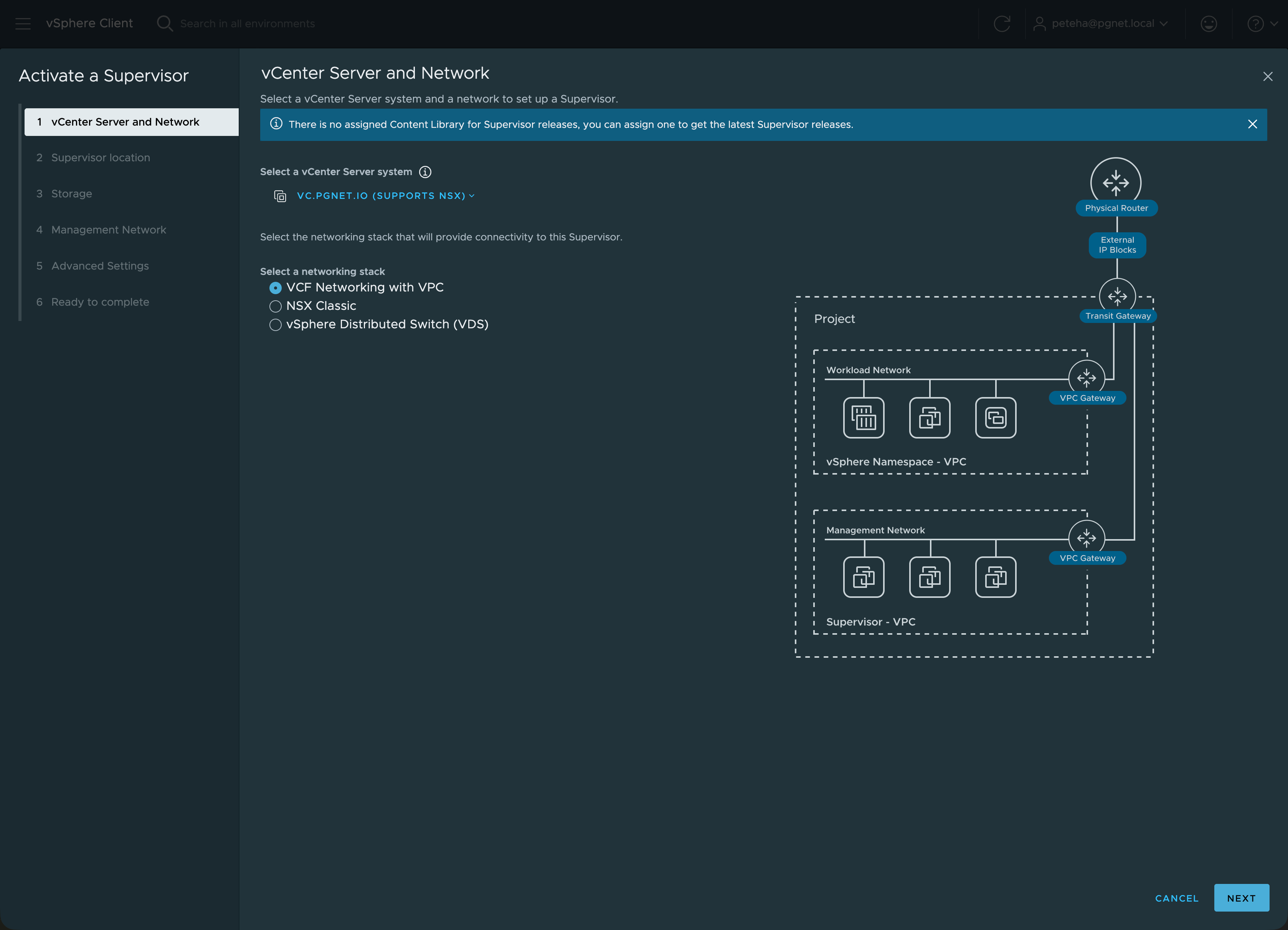
From vc.pgnet.io → Supervisor Management → Get Started.
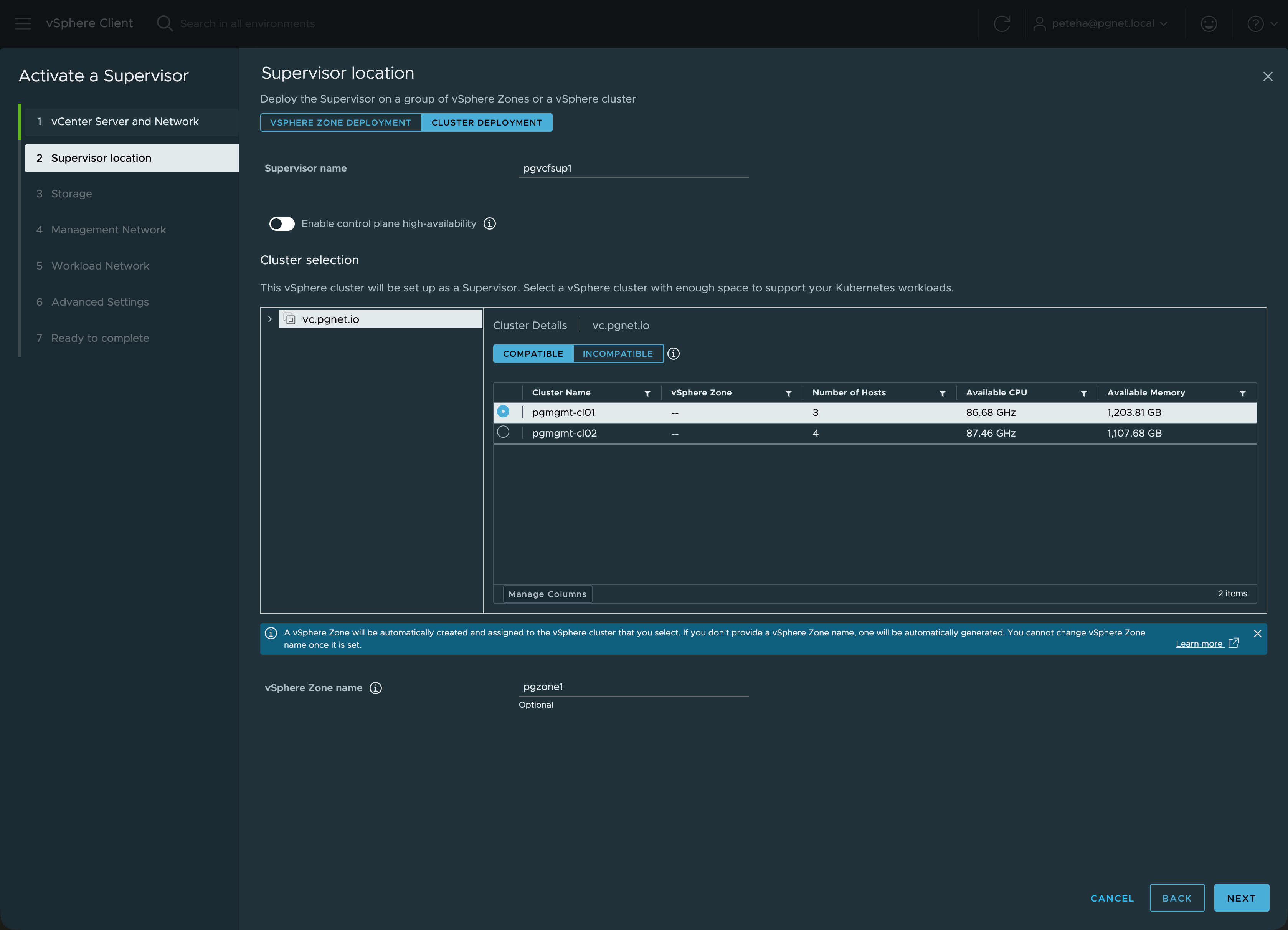
General & Infrastructure
| Field | Value |
|---|---|
| Spec Version | 1.0 |
| Supervisor Name | pgvcfsup1 |
| Zone | pgzone1 |
| vCenter Address | vc.pgnet.io |
| vCenter Cluster | pgmgmt-cl01 |
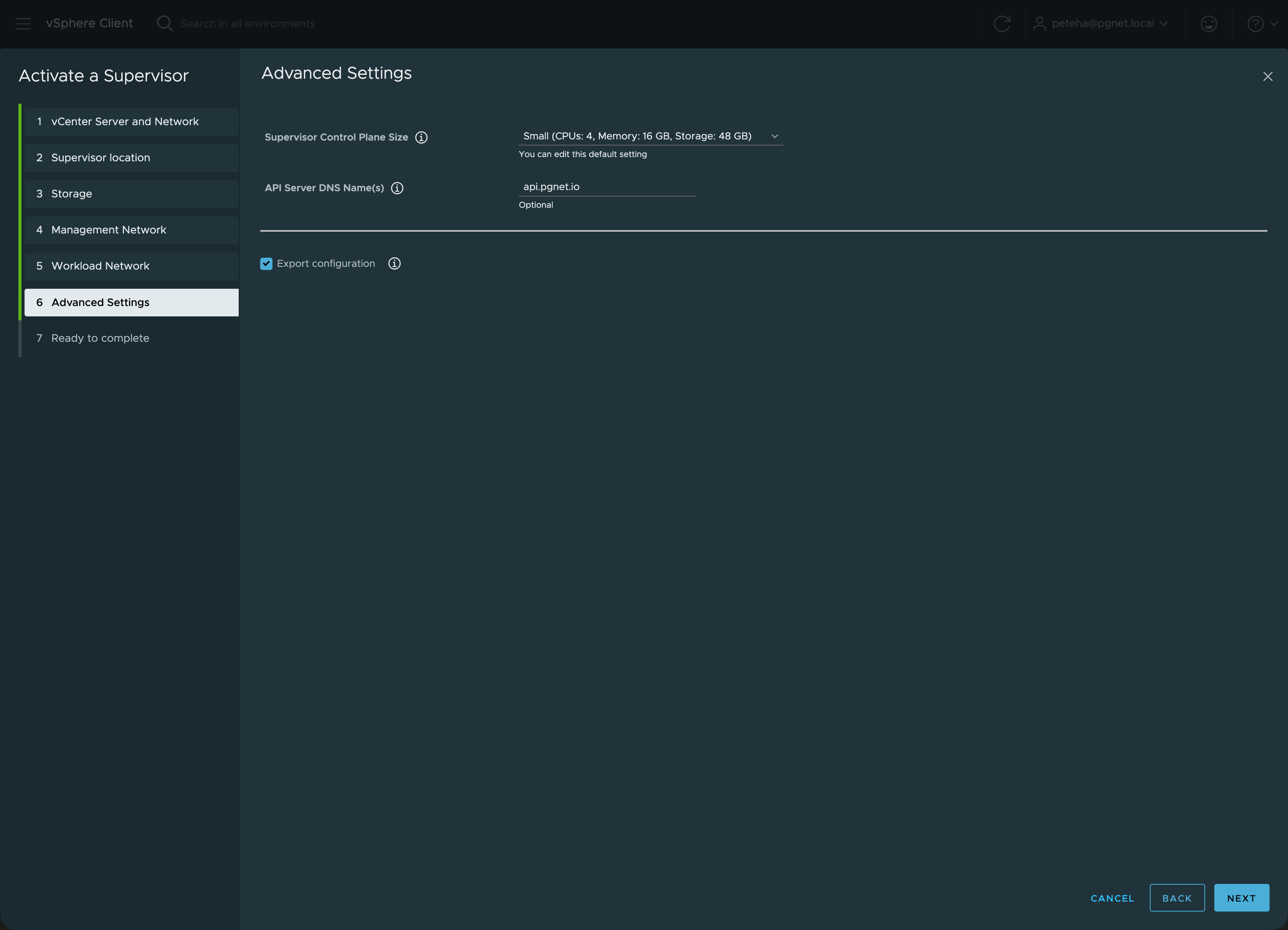
| Control Plane Size | SMALL |
| Control Plane VM Count | 1 |
| API Server DNS Name | api.pgnet.io |
Network Settings
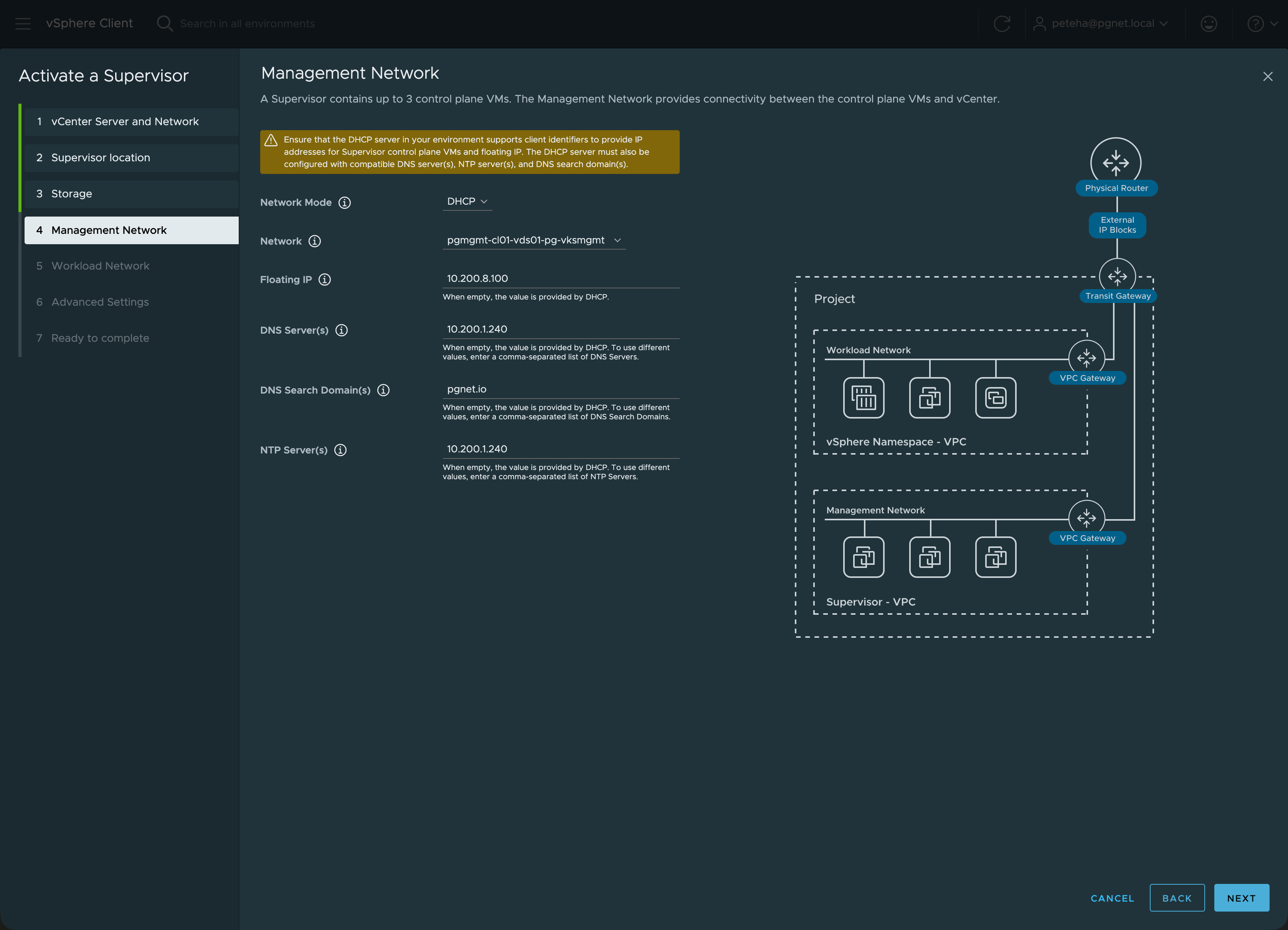
| Setting | Value |
|---|---|
| Network Name | pgmgmt-cl01-vds01-pg-vksmgmt |
| IP Assignment Mode | DHCP |
| Floating IP | 10.200.8.100 |
| DNS Servers | 10.200.1.240 |
| NTP Servers | 10.200.1.240 |
| Search Domains | pgnet.io |
Storage Policy
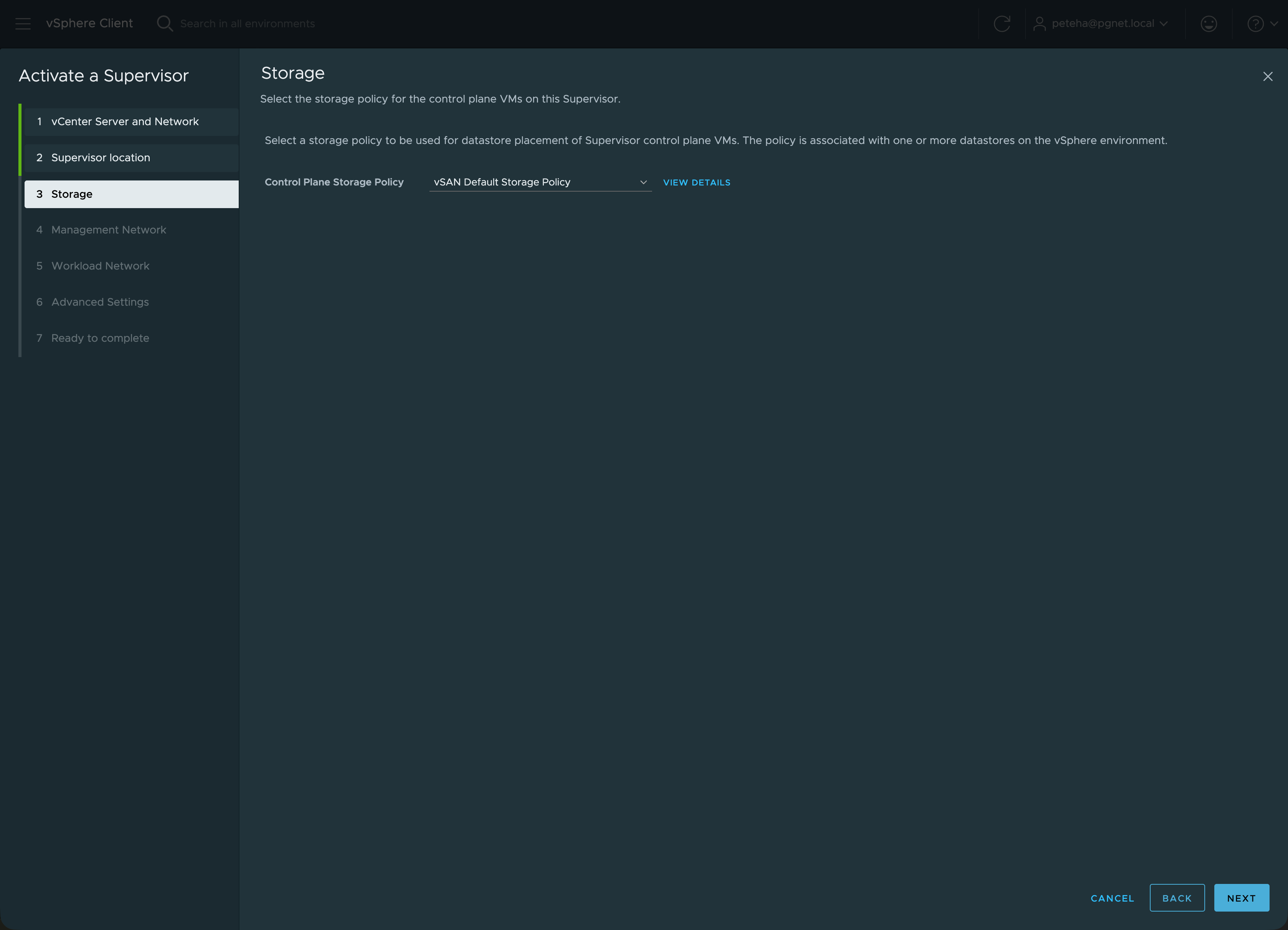
| Component | Policy |
|---|---|
| Master Storage | vSAN Default Storage Policy |
| Ephemeral Storage | vSAN Default Storage Policy |
| Image Storage | vSAN Default Storage Policy |
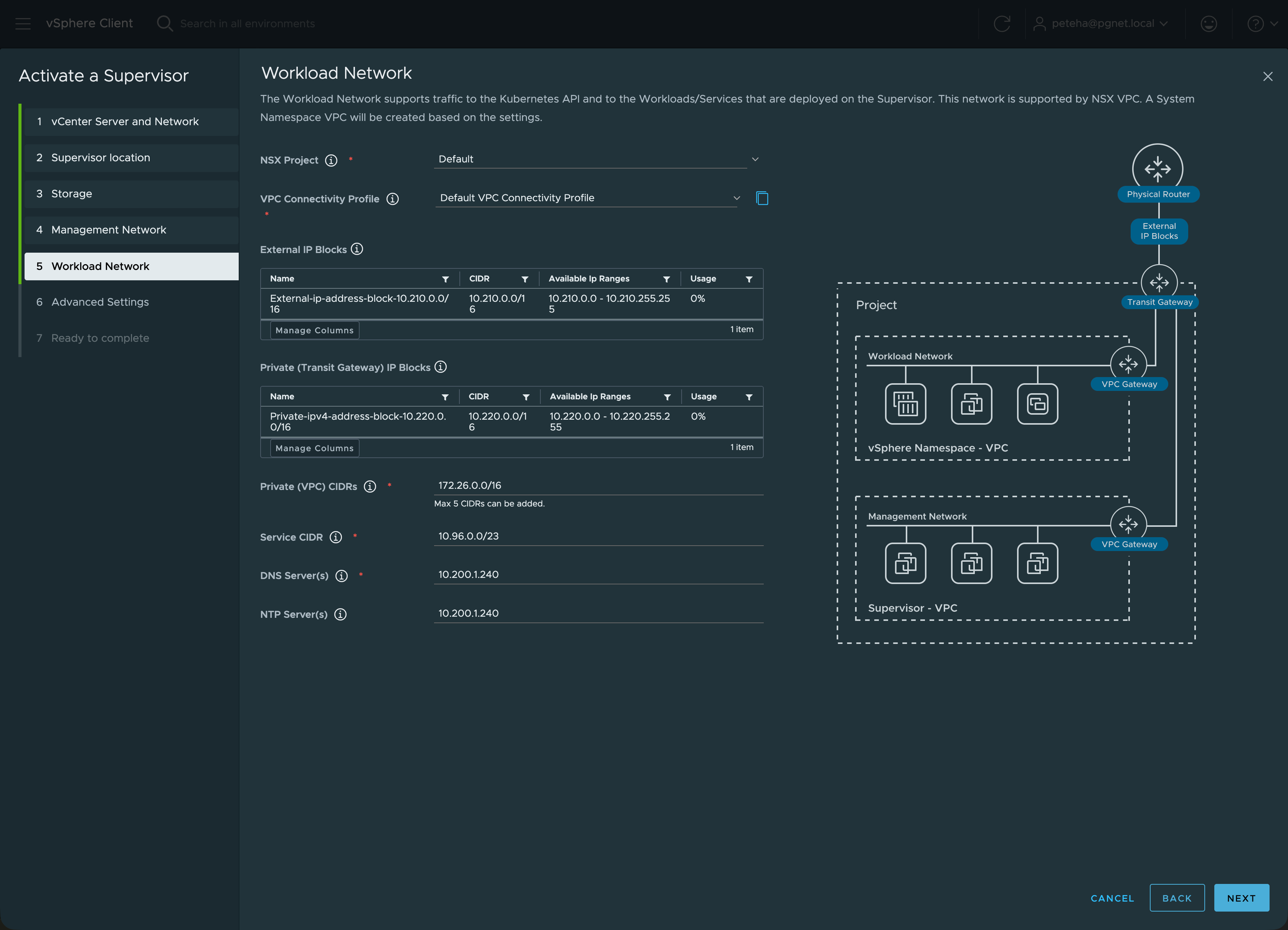
NSX VPC
| Parameter | Value |
|---|---|
| NSX VPC Project | Default |
| Connectivity Profile | Default VPC Connectivity Profile |
| Workload Service CIDR | 10.96.0.0/23 |
| Private CIDRs | 172.26.0.0/16 |
| VPC DNS/NTP | 10.200.1.240 |
Deployment Steps
- Select VCF Networking
- Select Zone Deployment
- Select
vSAN Default Storage Policy - Setup Management Network
- Configure Workload settings
- Review Advanced Settings
- Submit — deployment takes ~20 minutes
Post-Deployment
- VKS CLI endpoint:
https://10.210.0.7 - Content Library packages: Broadcom TechDocs — VKS packages
- Replace Supervisor VIP certificate for trusted connections: Broadcom TechDocs
Troubleshooting
Offline Depot — Image Not Found
A general system error occurred: Image is not valid.
Software Solution com.vmware.vsphere-wcp with version 9.0.1.32.5.0-25065159
cannot be found in depot.
Fix: Broadcom KB 412074