vcf nsx networking bgp edge
Post-Deployment: Networking (BGP & NSX Edge)
Physical router BGP configuration, NSX Edge node deployment, Tier-0 Gateway setup, and uplink peering across both edge nodes.
Pre-requisite: VCF bring-up complete. Physical router must have VLAN 250 and 251 interfaces active before starting.
Reference: Full FRR BGP configuration for the UDM router is in Appendices — Appendix B.
Physical Router Preparation
Ensure the upstream physical router (UDM) has:
- Interface
10.200.250.1(VLAN 250) active - Interface
10.200.251.1(VLAN 251) active - FRR BGP config applied to accept connections from Edge Nodes on AS 65001
VPC Configuration — NSX Edge / Overlay
The Edge Cluster is deployed by bring-up but not yet routing north-south traffic. Use the vCenter Network Connectivity wizard:
- From
vc.pgnet.io→ go to Networks for the VCF cluster - Setup Network Connectivity → Configure Network Connectivity
- Select Centralized Connectivity
- Continue — prerequisites should all be satisfied
Edge Node Configuration
pgen1:
| Field | Value |
|---|---|
| FQDN | pgen1.pgnet.io |
| vSphere Cluster | pgmgmt-cl01 |
| Data Store | pgmgmt-cl01-ds-vsan01 |
| Size | Small |
| Management IP | 10.200.1.50/24 |
| Default Gateway | 10.200.1.1 |
| Port Group | pgmgmt-cl01-vds01-pg-vm-mgmt |
| Virtual Interface | Interface | Active PNIC | Standby PNIC |
|---|---|---|---|
| 1 | fp-eth0 | vmnic1 | vmnic2 |
| 2 | fp-eth1 | vmnic2 | vmnic1 |
pgen2:
| Field | Value |
|---|---|
| FQDN | pgen2.pgnet.io |
| vSphere Cluster | pgmgmt-cl01 |
| Data Store | pgmgmt-cl01-ds-vsan01 |
| Size | Medium |
| Management IP | 10.200.1.51/24 |
| Default Gateway | 10.200.1.1 |
| Port Group | pgmgmt-cl01-vds01-pg-vm-mgmt |
| Virtual Interface | Interface | Active PNIC | Standby PNIC |
|---|---|---|---|
| 1 | fp-eth0 | vmnic1 | vmnic2 |
| 2 | fp-eth1 | vmnic2 | vmnic1 |
TEP Pool
| Parameter | Value |
|---|---|
| TEP VLAN | 206 |
| IP Allocation | IP Pool |
| IP Pool Name | Pool-TEP1 |
| CIDR | 10.200.6.0/24 |
| IP Range | 10.200.6.100 - 10.200.6.199 |
| Gateway IP | 10.200.6.1 |
| DNS Servers | 10.200.1.240, 10.200.10.75 |
| DNS Suffix | pgnet.io |
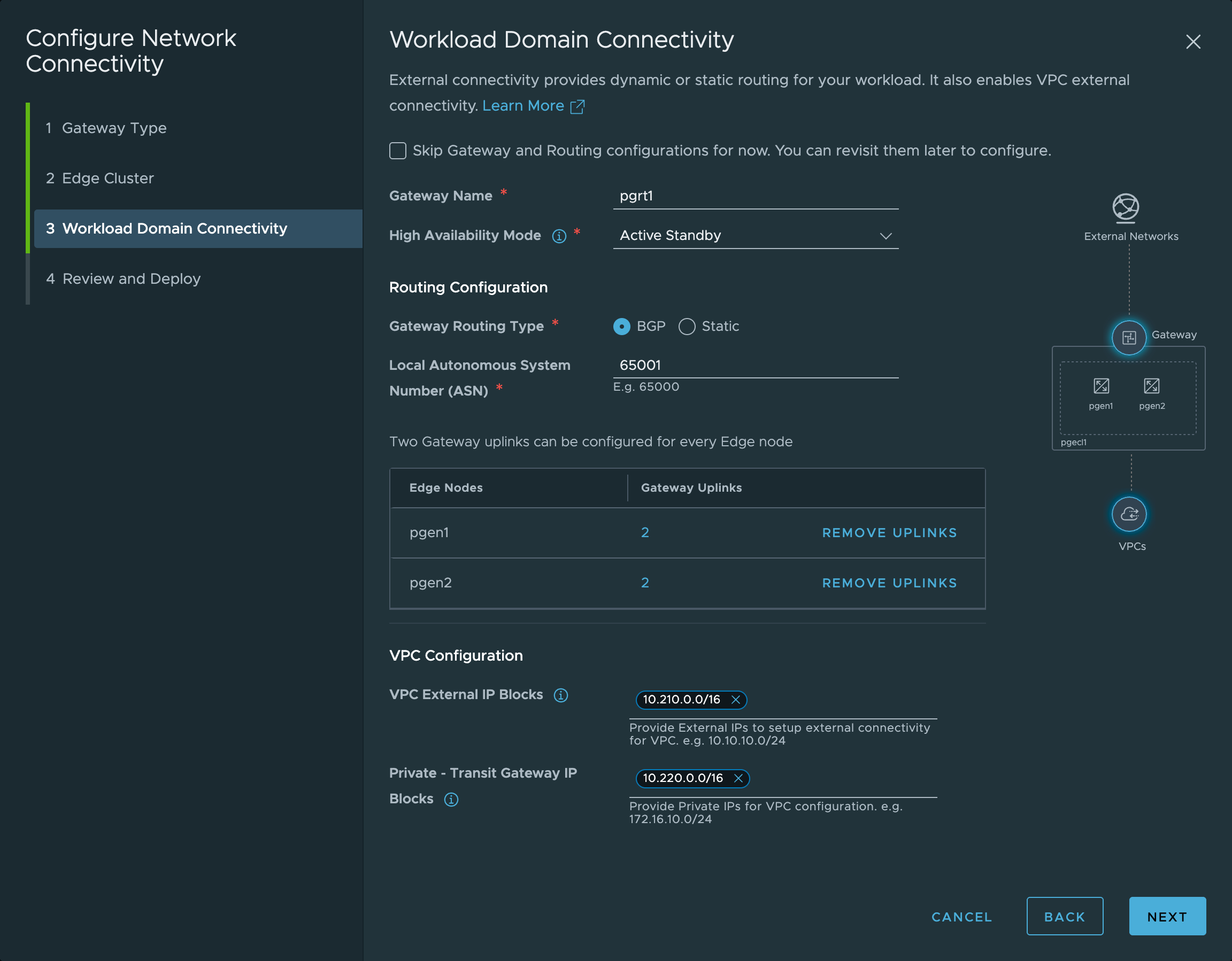
Workload Domain Connectivity
| Category | Field | Value |
|---|---|---|
| Identity | Gateway Name | pgrt1 |
| Availability | High Availability Mode | Active Standby |
| Routing | Gateway Routing Type | BGP |
| Routing | Local ASN | 65001 |
| VPC | VPC External IP Blocks | 10.210.0.0/16 |
| VPC | Private Transit Gateway IP Blocks | 10.220.0.0/16 |
Gateway Uplinks
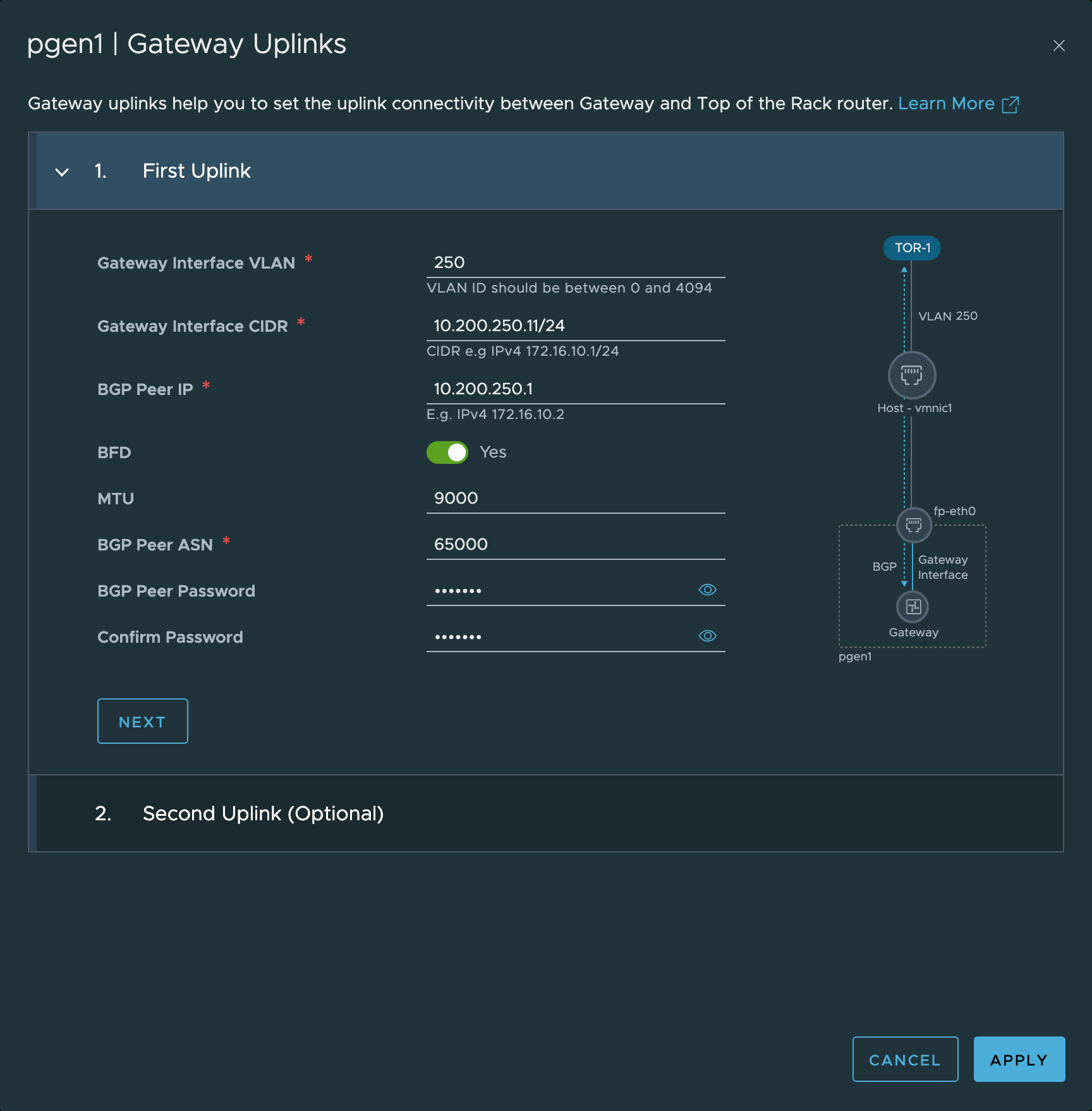
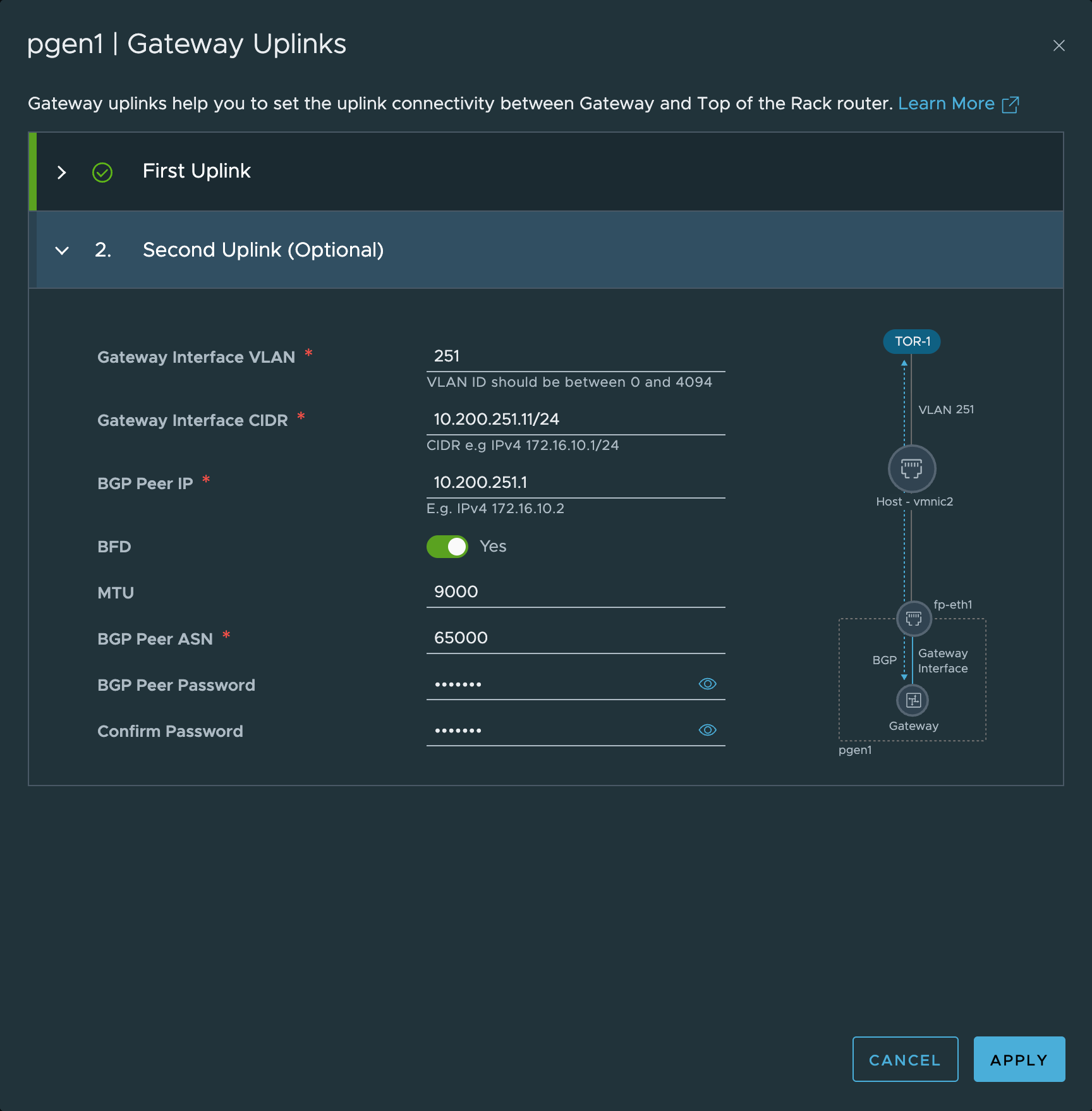
pgen1:
| Parameter | First Uplink | Second Uplink |
|---|---|---|
| Interface VLAN | 250 | 251 |
| Interface CIDR | 10.200.250.11/24 | 10.200.251.11/24 |
| BGP Peer IP | 10.200.250.1 | 10.200.251.1 |
| BGP Peer ASN | 65000 | 65000 |
| BFD | Enabled | Enabled |
| MTU | 9000 | 9000 |
| Target Router | TOR-1 | TOR-1 |
| Host Interface | vmnic1 | vmnic2 |
| Gateway Interface | fp-eth0 | fp-eth1 |
| BGP Peer Password | pggbnet | pggbnet |
pgen2:
| Parameter | First Uplink | Second Uplink |
|---|---|---|
| Interface VLAN | 250 | 251 |
| Interface CIDR | 10.200.250.12/24 | 10.200.251.12/24 |
| BGP Peer IP | 10.200.250.1 | 10.200.251.1 |
| BGP Peer ASN | 65000 | 65000 |
| BFD | Enabled | Enabled |
| MTU | 9000 | 9000 |
| Target Router | TOR-1 | TOR-1 |
| Host Interface | vmnic1 | vmnic2 |
| Gateway Interface | fp-eth0 | fp-eth1 |
| BGP Peer Password | pggbnet | pggbnet |
The Edge deployment process will fail if the AMD Ryzen kernel parameters were not applied in the Kickstart script — see Infrastructure Preparation.